Find people and share your location with Find My
Learn how to use the Find My app to share your location with friends and family members. You can even set up location-based notifications, so that you know if someone left a location or just arrived home, or find a friend's precise location when you're nearby.
Share your location
When Share My Location is turned on, you can share your location with friends, family, and contacts from your iPhone or iPad with Find My. You can also share your location in the Find People app on watchOS 6 or later with Apple Watch models that have GPS and cellular and are paired with your iPhone.
If you and the person that you share your location with both have an iPhone with iOS 15 or later, you share your Live Location — so that your friend or family member can see your location in real time. If you're on the move, they can get a sense of the direction that you're traveling in and how fast.
If you already set up Family Sharing and use Location Sharing, your family members automatically appear in Find My.
You can also share your location in Messages and Maps
Location sharing isn't supported in South Korea and might be unavailable in other regions due to local laws.
Share with people
Open the Find My app and select the People tab.
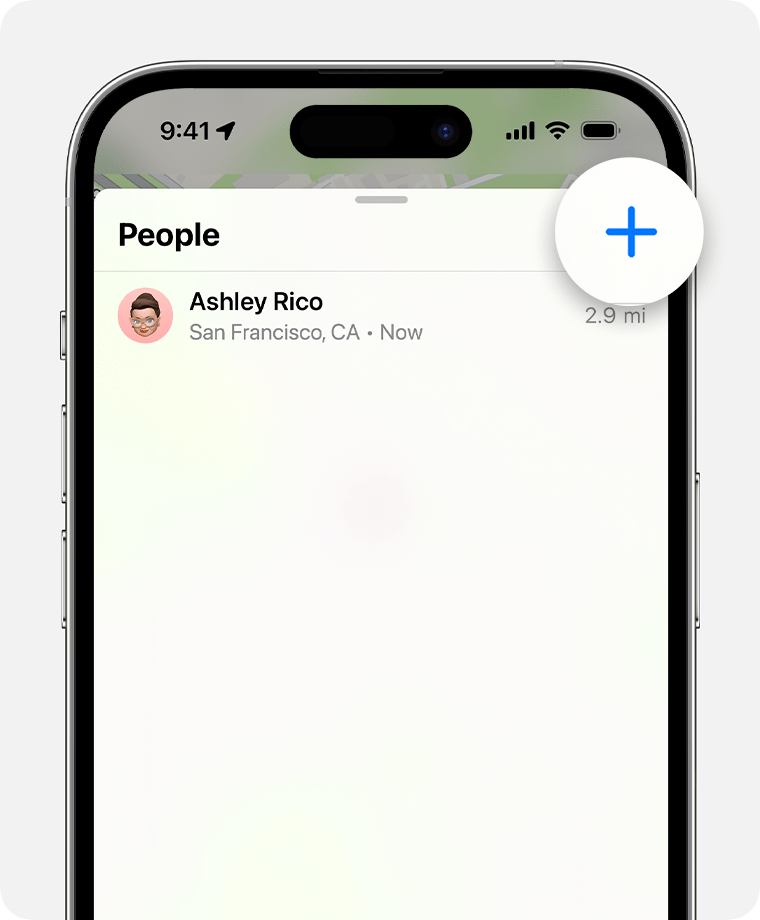
Tap the Add button
 .
.
Select Share My Location.
Enter the name or phone number of the person that you want to share your location with.
Select Send.
Choose to share your location for One Hour, Until End of Day, or Share Indefinitely.
When you share your location with someone, they have the option to share their location back.
Name your location
If you want, you can name the locations that you frequently visit:
Open the Find My app, then select the Me tab.
Scroll down and tap Location.
Select Home, Work, School, Gym, None, or tap Add Custom Label to create your own name.
Change your sharing device
To change the device that you're sharing your location from, open Find My on the device from which you want to share. Select the Me tab, then choose Use this [device] as My Location.
Share your location via satellite
On iPhone 14 (with iOS 16.1 or later) or iPhone 15 models, you can also share your location via satellite when you're somewhere without cellular and Wi-Fi coverage. To share your location via satellite with someone, you need to already be sharing your location with that person in Find My before you're outside of cellular and Wi-Fi coverage. You also need to be in a place where location sharing via satellite is available.
You can update your location via satellite every 15 minutes.
Learn how to share your location via satellite
Follow a friend's shared location
If someone shares their location with you or you request their location and they agree to share it, you can then follow their location.
Ask to follow someone's location
To start following another person, you need to first share your location with them. Then follow these steps:
Open the Find My app and select the People tab.
Select the person that you shared your location with.
Scroll down and choose Ask To Follow Location.
Respond to a location sharing request
When someone shares their location with you, you can choose to share your location back:
Open the Find My app and select the People tab.
Under the name of the person who sent you their location, choose Share to let them follow your location.
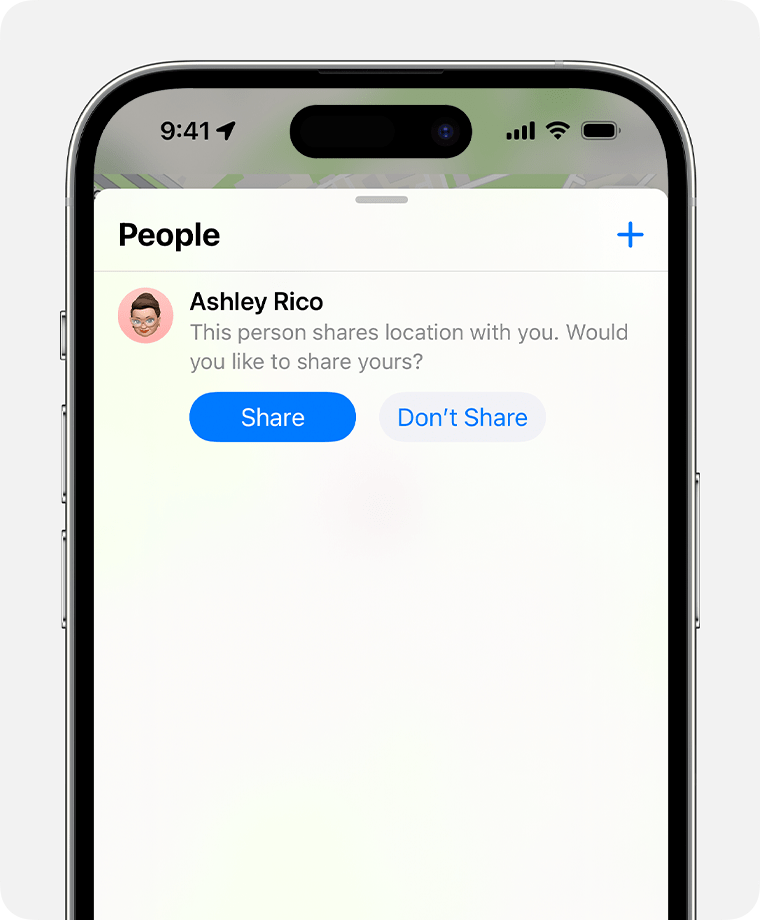
If you don't want to share your location with that person, select Don't Share (or Cancel).
Share location-based notifications
Set up recurring location-based notifications to let you know if someone has arrived at or left a location, or isn't at a particular place during a specific time window.
Get notified when a friend arrives at, leaves, or isn't at a location
Open the Find My app and select the People tab.
Select the person that you want to share notifications with.
Scroll down and under Notifications, tap Add.
Tap Notify Me to get notified of a friend's location change.* Tap Notify Friend to notify a friend of your location change.
Under When, select Arrives, Leaves, or Is Not At. If you're sharing your location change, select I Arrive or I Leave.
Under Location, tap to select your current location, or tap New Location to select a different location.
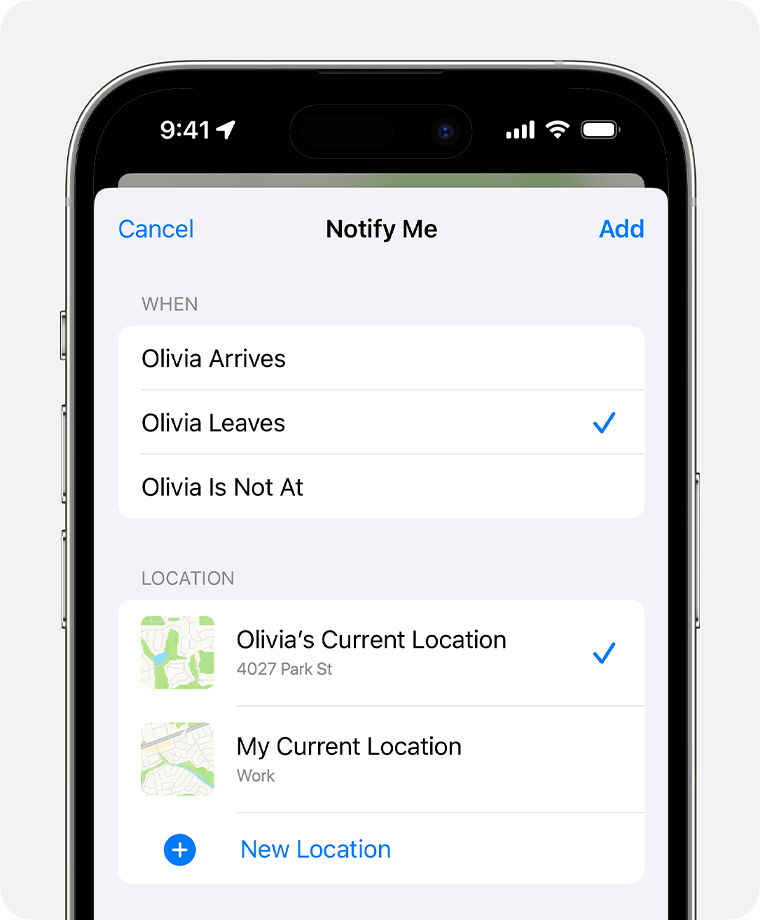
Under Frequency, select Only Once or Every Time.
* Your friend will be notified when you set a location-based notification. For recurring location-based notifications, your friend has to accept the invitation.
Locate a friend
Open the Find My app and select the People tab.
Under People, choose the name of your friend who is sharing their location with you.
Choose Directions to open Maps and then follow the directions to that current location.
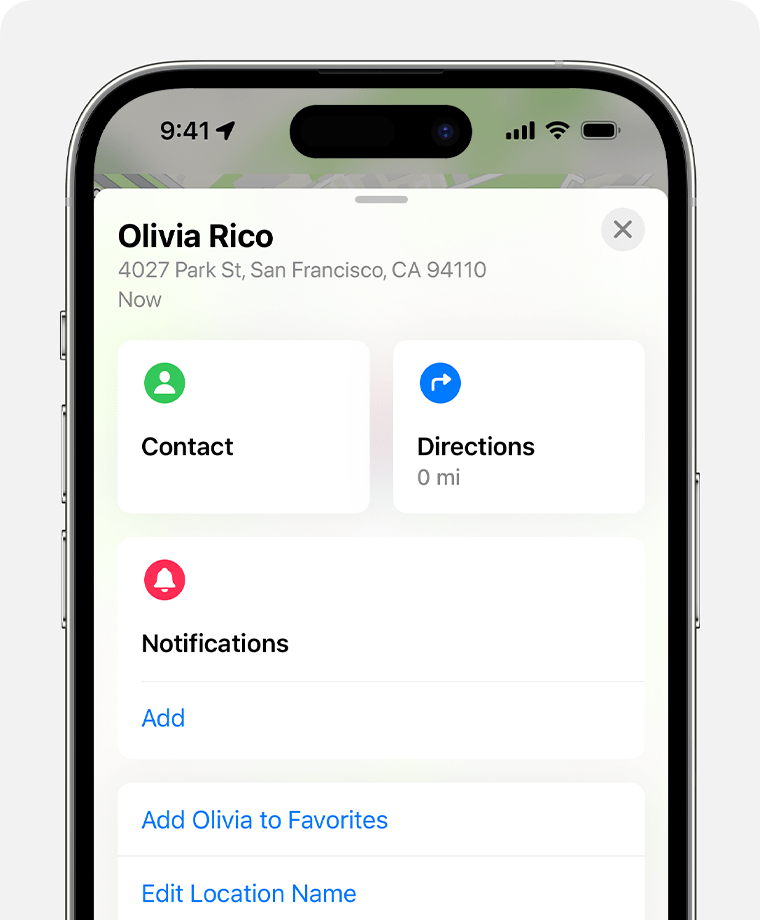
If your location appears below your friend's name, you aren't following them. If you see No location found, that person can't be located.
Other things you can do
When you open the Find My app, select the People tab, then choose the name of a person. You can:
See that person's contact card.
Select Directions to navigate to the person's location in Maps.
Choose Notifications to see when a person's location changes or to notify people that your location has changed.
Add the person to Favorites or remove them. Members of Family Sharing can't be removed from Favorites.
Select Edit Location Name to label their location.
If both you and your friend or family member have iPhone 15 or iPhone 15 Pro, you can get directions to each other's precise location when you're nearby.
Learn how to use Precision Finding to meet up with a friend
Only one person can use Precision Finding to get directions to someone's location at a time. If you don't see Find Nearby for a person that you're sharing location with, someone else might already be trying to find them. You might want to wait a little while, then try again.
Stop sharing your location
To stop sharing your location with everyone, follow these steps. You can also stop sharing with a specific person, or turn off Allow Friend Requests.
Open the Find my app.
Select the Me tab.
Turn off Share My Location.
Stop sharing with one person
Open the Find My app and select the People tab.
Choose the person that you want to stop sharing your location with.
Scroll down and select Stop Sharing My Location.
Turn off Allow Friend Requests
Open the Find My app.
Select the Me tab.
Turn off Allow Friend Requests.
If you delete the Find My app, your location is still shared. People who you've previously shared your location with can still view your location. If you want to stop sharing your location, reinstall the Find My app and follow the steps to stop sharing your location.


