Check the status light and battery charge on your iPod shuffle
When you turn on your iPod shuffle, you can check its status light for the approximate battery charge and other information.
Pick the model of your iPod shuffle.
iPod shuffle (4th generation)
To check your battery charge, look at the status light or use VoiceOver.
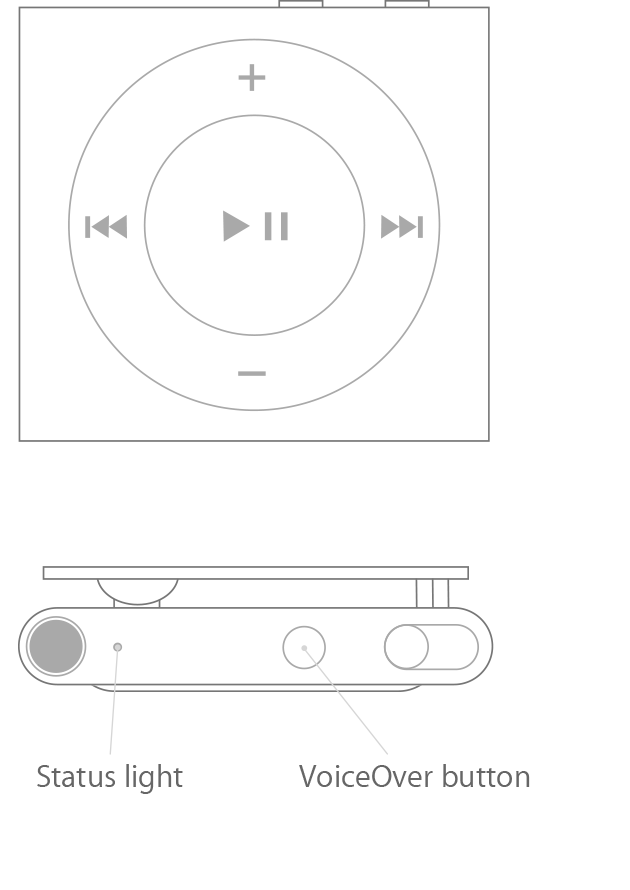
Check the status light
Status light when your iPod is connected to your computer:
Green: High charge
Solid orange: Charging
Blinking orange: Device is syncing with iTunes or in use as a disk
Status light when your iPod is disconnected:
Green: 50% - 100% charge
Solid orange: 25% - 49% charge
Red: Less than 25% charge
Use VoiceOver
Put on your headphones and plug them into your iPod shuffle.
Disconnect your iPod shuffle from any USB cables.
Press the VoiceOver button twice. Through your headphones, VoiceOver announces the approximate battery charge.
iPod shuffle (3rd generation)
To check your battery charge, look at the status light or use VoiceOver.
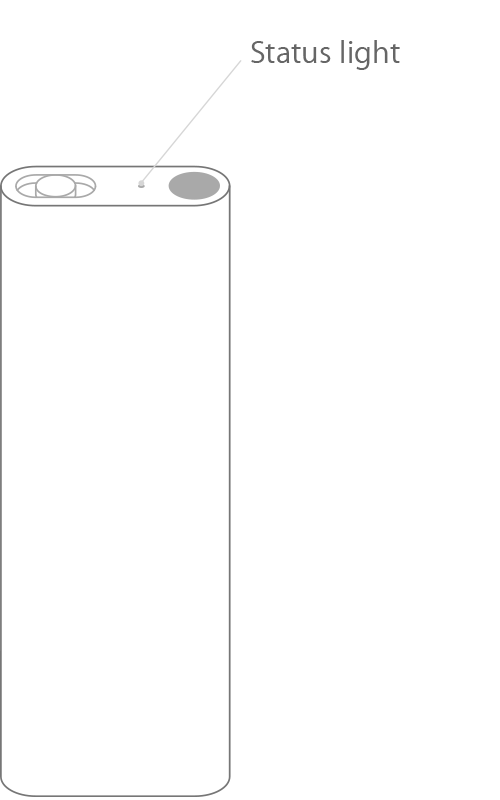
Check the status light
Green: 50% - 100% charge
Orange: 25% - 49% charge
Red: Less than 25% charge
Blinking red: Less than 1% charge
Blinking orange: Device is syncing with iTunes or in use as a disk
No light: No charge or device is turned off (If you plug into power and still don't see a status light, your USB connection might be loose or your computer might be turned off)
Use VoiceOver
Put on your headphones and plug them into your iPod shuffle.
Disconnect your iPod shuffle from any USB cables.
Quickly turn your device off and back on. Through your headphones, you'll hear VoiceOver announce the approximate battery charge.
During playback, VoiceOver also automatically announces when you reach 10% battery charge. And if your iPod shuffle is about to turn off because of very low battery, you'll hear a three-tone chime.
iPod shuffle (2nd generation)
There are two ways to check your battery charge:
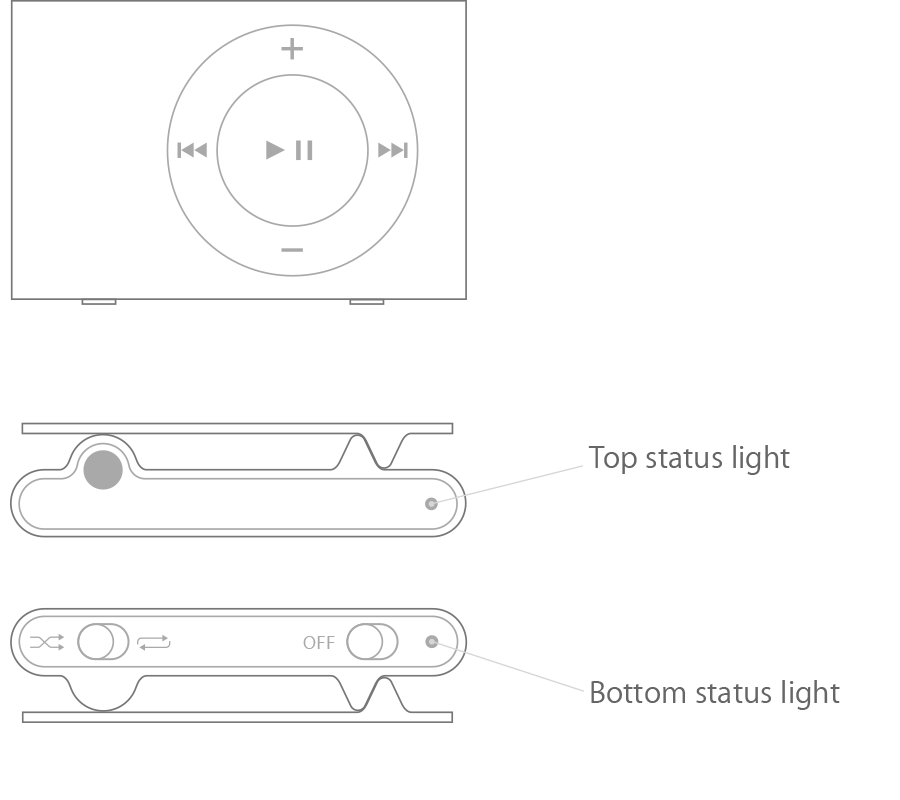
If your device is already on, you can check the battery charge without stopping playback. Quickly turn your device off and back on, then check the color of the status lights.
Look at the status lights when you disconnect your iPod shuffle.
Here's what the status lights mean:
Green: 31% - 100% charge
Orange: 10% - 30% charge
Red: Less than 10% charge
No light: No charge*
One green blink followed by two orange blinks for 10 seconds: Device should be restored because of an error
iPod shuffle (1st generation)
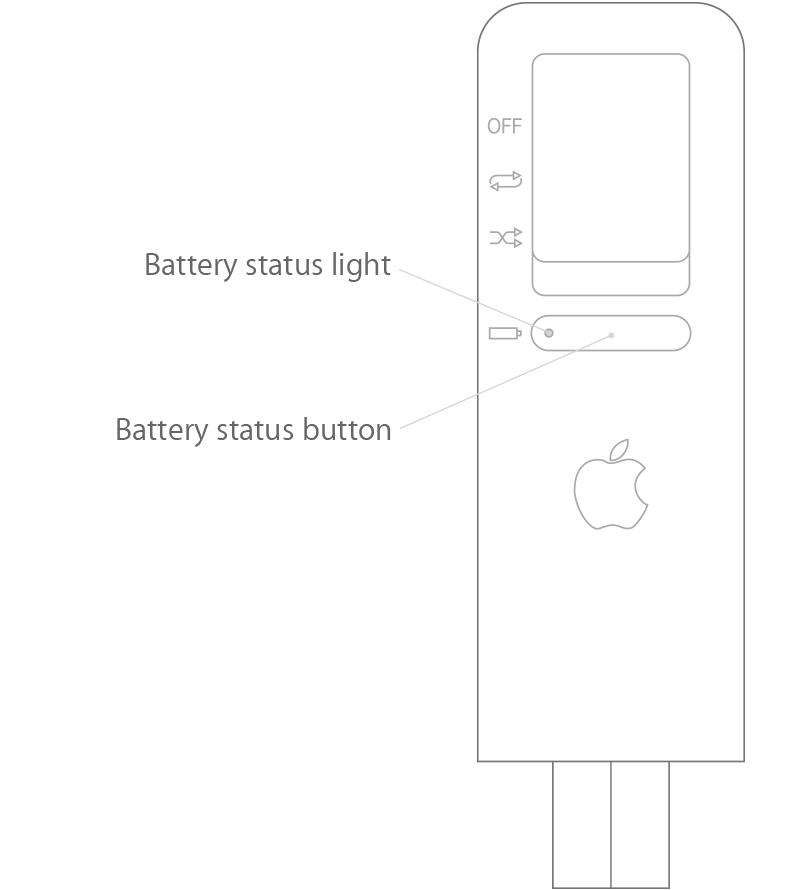
To check the battery charge, press the battery status button and look at the color of the status light. Here's what the lights mean:
Green: High charge
Orange: Low charge
Red: Very low charge
No light: No charge*
Blinking orange: Device is in use as a disk
*If your battery has no charge, you can charge to 80% in about two hours and 100% in about four hours.


