Set up your iPhone or iPad
Learn how to set up your iPhone or iPad.
If you already set up your new device but want to start over, learn how to erase your iPhone or iPad.
Turn on your iPhone or iPad
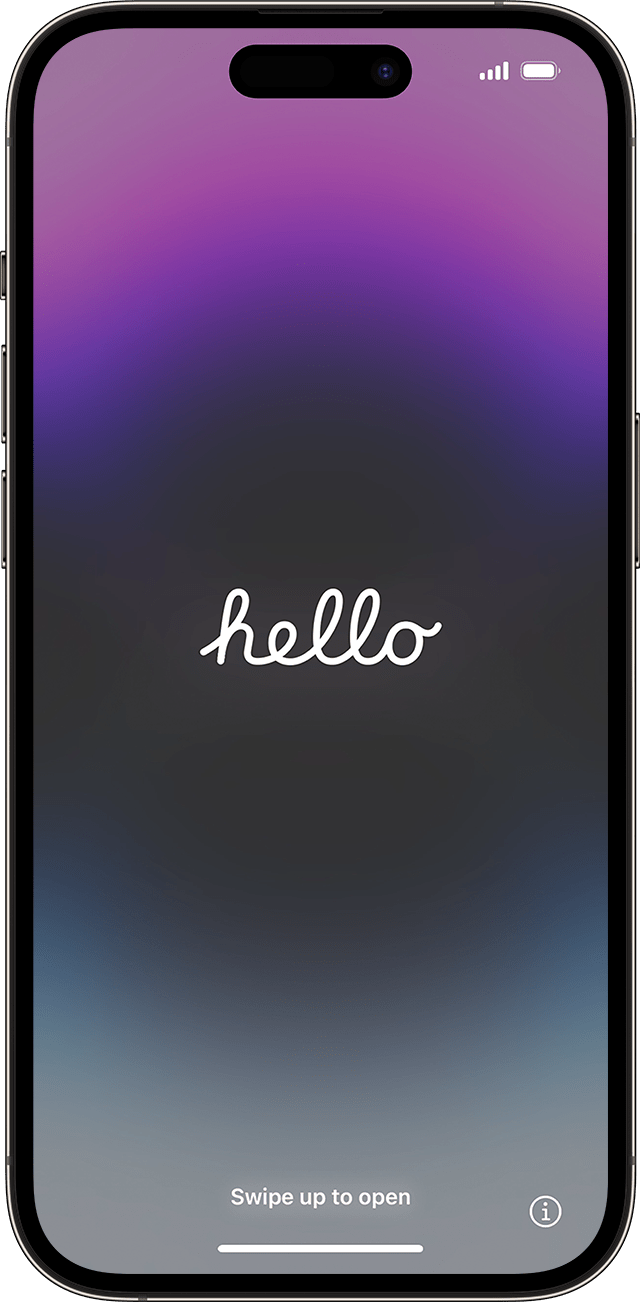
Press and hold the device's power button until you see the Apple logo. You'll then see "Hello" in many languages. Follow the onscreen instructions to get started.
If you're blind or have low vision, you can turn on VoiceOver or Zoom from the Hello screen.
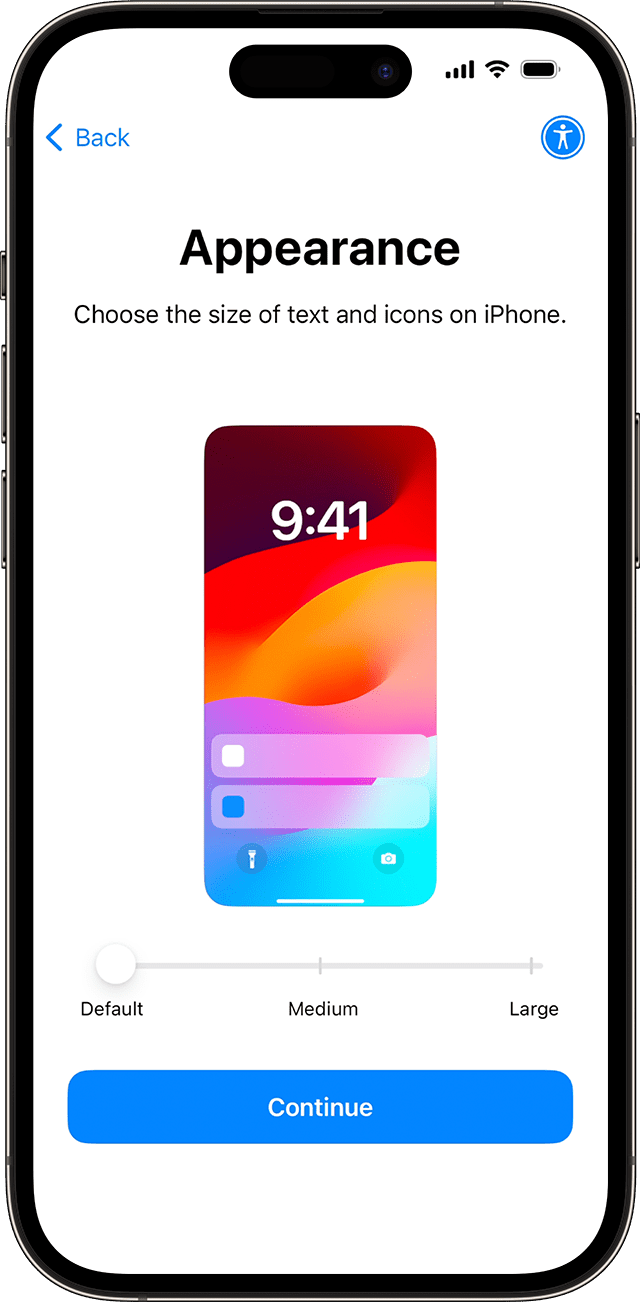
Choose the size of text and icons on your phone
Select your preferred size for text and icons: Default, Medium, or Large. As you slide the icon between those sizes, the text and images on this Appearance screen will change so you can preview the selected option.
When ready, slide the icon to your preferred size and tap Continue.
Use Quick Start or set up manually
If you have another device, you can use it to automatically set up your new device with Quick Start.
If you don't have another device, tap Set Up Without Another Device.
Here you can tap the blue accessibility button to set up Accessibility Options.

Activate your iPhone or iPad
You need to connect to a Wi-Fi network or a cellular network to activate and continue setting up your device.
Tap the Wi-Fi network that you want to use or, if available, tap Continue Without Wi-Fi to use your device's cellular network. If you're setting up an iPhone or iPad (Wi-Fi + Cellular), you might need to insert your iPhone SIM card or iPad SIM card first. You might also be asked to activate your eSIM.
Get help if you can't connect to Wi-Fi or if you can't activate your iPhone.
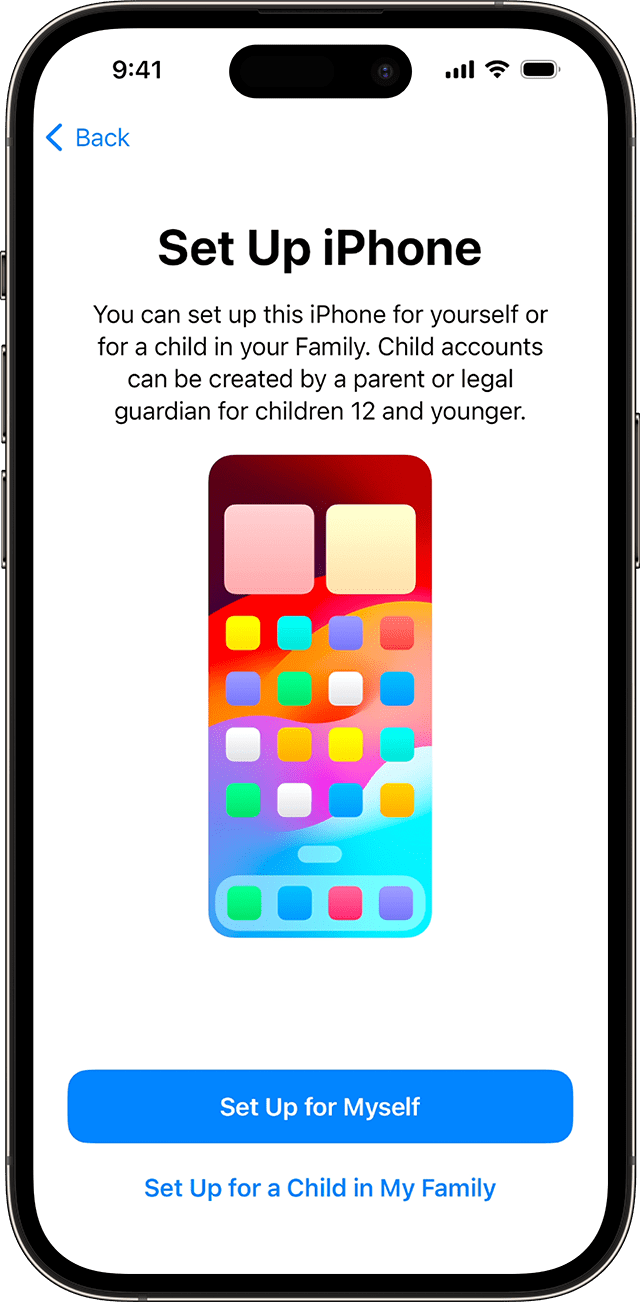
Set up for you or for a child
Next, choose whether to set up your iPhone for you or for a child. Learn how to create a new Apple ID for a child under 13, how to set up Family Sharing, and how to use parental controls on a child's iPhone.
Set up Face ID or Touch ID and create a passcode
Follow the onscreen instructions to set up Face ID or Touch ID to use face recognition or your fingerprint to unlock your device and make purchases.
Next, set a six-digit passcode to help protect your data. You need a passcode to use features like Face ID, Touch ID, and Apple Pay. If you'd like a four-digit passcode, custom passcode, or no passcode, tap Passcode Options.
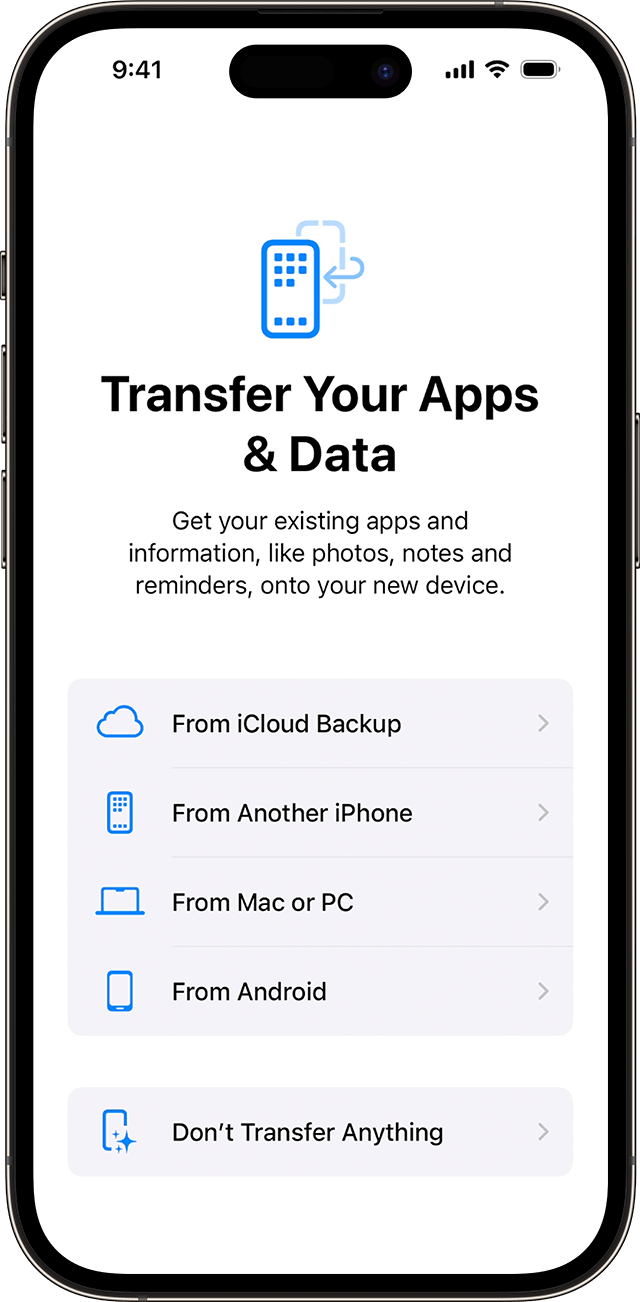
Restore or transfer your data and apps
Choose how you want to restore or transfer your data from your old device to your new device. You can use an iCloud backup or a backup made from your computer, or move data from an Android device.
If you don't have a backup or another device, select Don't Transfer Apps & Data.
Sign in with your Apple ID or another Apple device
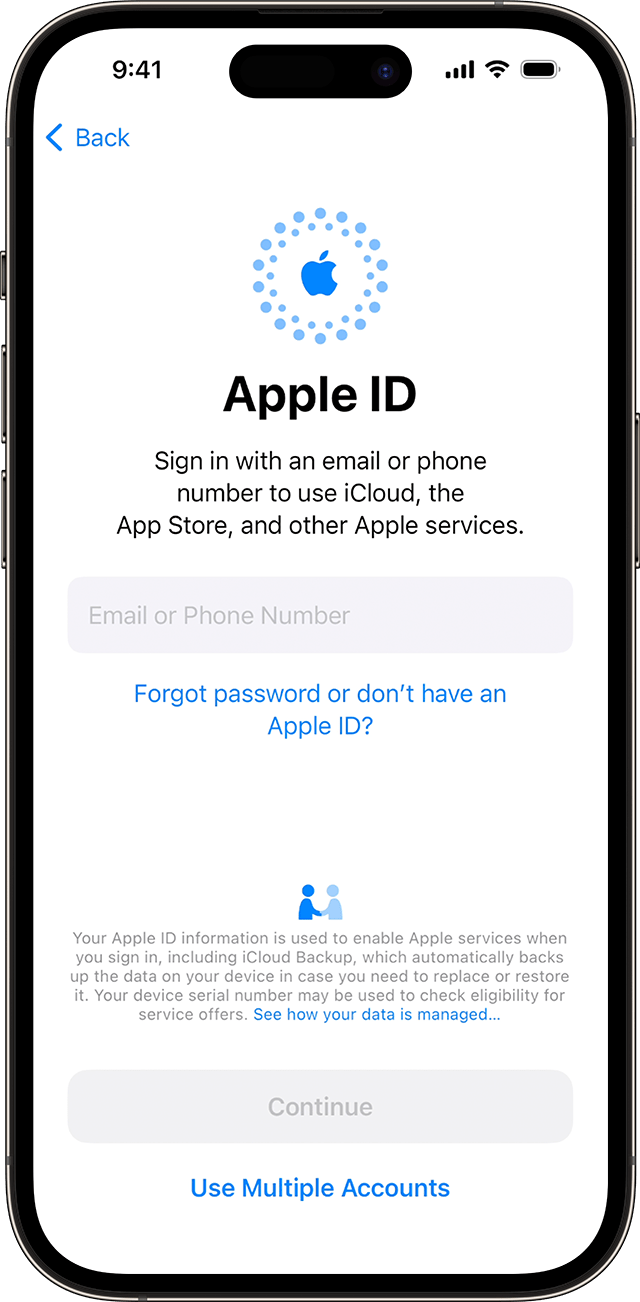
Enter the email address or phone number that you use with your Apple ID, then enter your password. Or tap "Forgot password or don't have an Apple ID?" From there, you can recover your Apple ID or password, create an Apple ID, or set it up later.
If you use more than one Apple ID, tap Other Sign-In Options, then tap Use Multiple Accounts.
When you sign in with your Apple ID, you might be prompted for a verification code from your previous device.
Turn on automatic updates and set up other features
Follow the onscreen instructions to allow iOS or iPadOS to update automatically and set up other features, like cellular service and a phone number or Apple Pay:
You'll be asked to set up or enable services and features, like Siri. On some devices, you'll be asked to speak a few phrases so that Siri can get to know your voice.
Then, follow the onscreen instructions to set up Screen Time, which gives you insight into how much time you and your kids spend on your devices. It also lets you set time limits for daily app use.
Next, learn about the data you can share with Apple and choose whether to share data with app developers.
Finally, tap on Light or Dark to see a preview of how your iPhone adjusts. Tap Auto to have your iPhone automatically switch between both throughout the day. When ready, tap Continue to finish.
Information about products not manufactured by Apple, or independent websites not controlled or tested by Apple, is provided without recommendation or endorsement. Apple assumes no responsibility with regard to the selection, performance, or use of third-party websites or products. Apple makes no representations regarding third-party website accuracy or reliability. Contact the vendor for additional information.


