How to find the serial number of your AirPort Extreme, AirPort Express, or AirPort Time Capsule
Learn how to find the serial number on your AirPort device.
You can use any of these methods to find your AirPort device's serial number.
Use AirPort Utility
Here's how you can use AirPort Utility to find the serial number of your AirPort base station.
AirPort Utility 6
Open AirPort Utility. You can find it in the Utilities folder of your Applications folder, or by searching for it with Spotlight.
Select your base station in the AirPort Utility window.
If you're prompted for a password, enter your base station's password and click OK.
The device's serial number is listed in the pop-up window.
AirPort Utility 5
Open AirPort Utility. You can find it in the Utilities folder of your Applications folder, or by searching for it with Spotlight.
Select your AirPort product.
Click Manual Setup.
Click AirPort in the Toolbar.
Click the Summary tab.
The device's serial number is listed in the Summary tab.
Look on the surface of the device
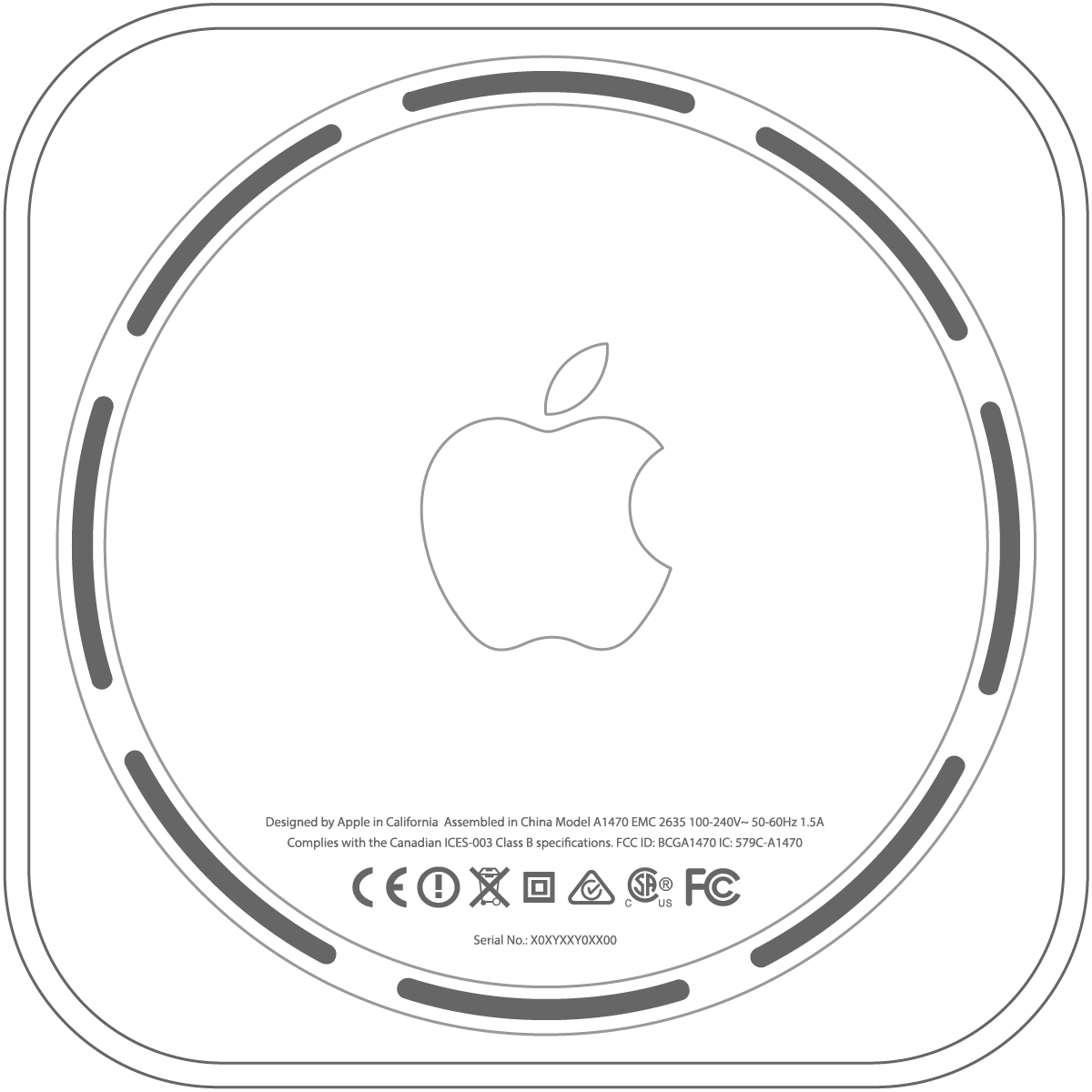
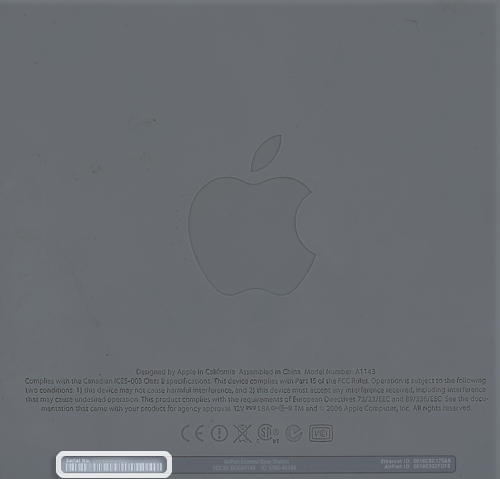
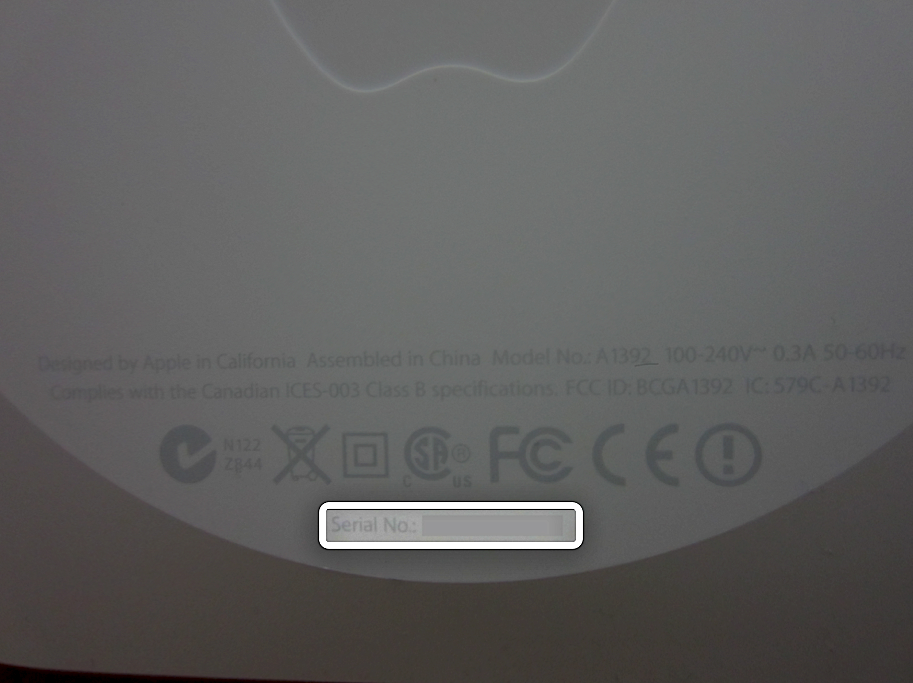
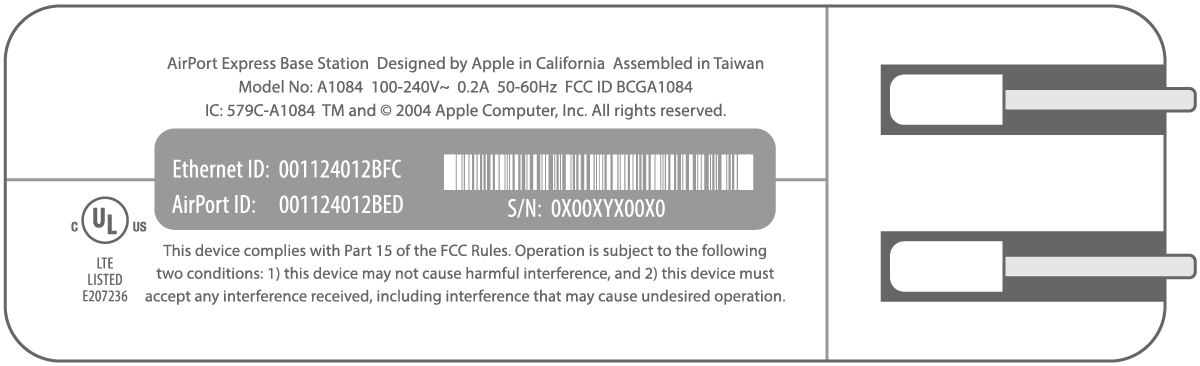
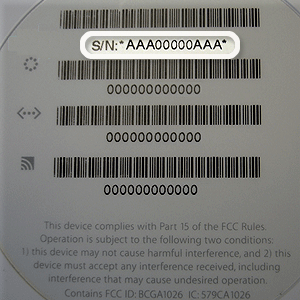
Depending on your model, the serial number is located either on the bottom or side of the device. Refer to the images below.
Time Capsule and AirPort Extreme Base Stations (802.11ac)
The serial number is located on the bottom of the device:
Time Capsule and AirPort Extreme Base Stations (802.11n)
The serial number is located on a gray strip on the bottom of the device:
AirPort Express 802.11n (2nd Generation)
The serial number is located on the bottom of the device:
AirPort Express 802.11n (1st Generation)
The serial number is located on the side of the device, next to the AC power plug:
AirPort Extreme Base Station (earlier than 802.11n)
The serial number is located on a label on the bottom of the device:
Check the original product packaging
If you still have the original packaging for the product, you can find the serial number on the barcode label that is affixed to the packaging.
Look at the original receipt (or invoice)
Some retailers include the serial number of your AirPort on your receipt or invoice.
Learn more
Learn how to find the serial number of other Apple hardware products.