About the Apple Mini DisplayPort adapters
Use these adapters to connect a Mac that has a Mini DisplayPort, Thunderbolt, or Thunderbolt 2 port to a display that uses a DVI or VGA cable.
Apple's Mini DisplayPort adapters work with Mac models that have a Mini DisplayPort , Thunderbolt port
 , or Thunderbolt 2 port when using Mac OS X Leopard 10.5.6 or later:
These adapters don't work with the Apple Thunderbolt 3 (USB-C) to Thunderbolt 2 Adapter, which doesn't support Mini DisplayPort displays.
Apple Mini DisplayPort to DVI Adapter
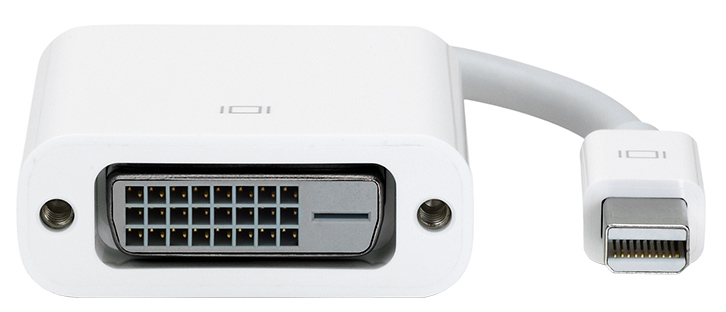
The Apple Mini DisplayPort to DVI Adapter connects a Mac that has a Mini DisplayPort, Thunderbolt port, or Thunderbolt 2 port to a display that uses a single-link DVI cable.
This adapter supports display resolutions up to 1920 x 1200.
Apple Mini DisplayPort to Dual-Link DVI Adapter
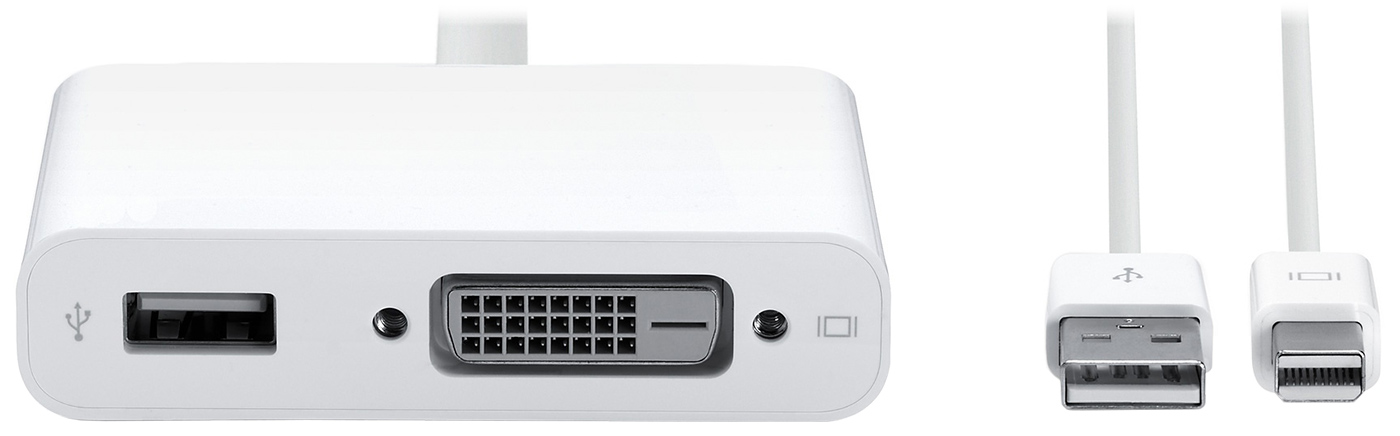
The Apple Mini DisplayPort to Dual-Link DVI Adapter connects a Mac that has a Mini DisplayPort, Thunderbolt port, or Thunderbolt 2 port to a display that uses a dual-link DVI cable.
This adapter supports display resolutions up to 2560 x 1600. To use it with a dual-link DVI display such as the 30-inch Apple Cinema HD Display, connect the USB cable from the display to the USB-A port on the adapter, then connect the USB-A cable on the adapter to the USB-A port on your Mac.
Apple Mini DisplayPort to VGA Adapter
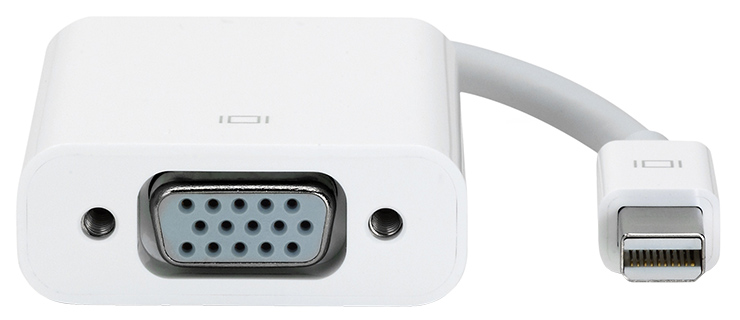
The Apple Mini DisplayPort to VGA Adapter connects a Mac that has a Mini DisplayPort, Thunderbolt port, or Thunderbolt 2 port to display that uses a VGA cable.
This adapter supports display resolutions up to 1920 x 1200. To achieve resolutions greater than 1600 x 1200, displays with high refresh rates might require that you lower the refresh rate.
Because the VGA connection is analog instead of digital, HDCP-encrypted content might not play back, or might play back at a lower resolution.
Learn more
DVI cables that provide additional pins for an analog signal aren't compatible with the fully digital DVI port on either of the DVI adapters.
Information about products not manufactured by Apple, or independent websites not controlled or tested by Apple, is provided without recommendation or endorsement. Apple assumes no responsibility with regard to the selection, performance, or use of third-party websites or products. Apple makes no representations regarding third-party website accuracy or reliability. Contact the vendor for additional information.