How to identify your Apple keyboard layout by country or region
Use the letters and symbols on your Apple keyboard to help you determine your keyboard layout by country or region.
Some keyboard layouts are only available in certain countries or regions.
If you need keyboard replacement or repair, contact Apple or a service provider.
Identify your keyboard layout (ANSI, ISO, or Japanese)
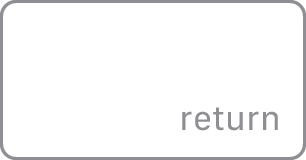
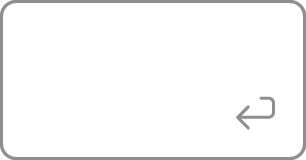
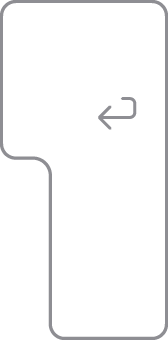
Find the key that has the word “return” or the return-left symbol  printed on it. The key should look like one of the options below:
ANSI keyboard
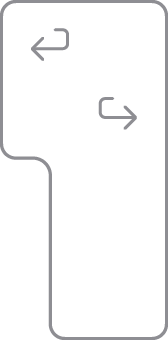
If your Return key looks like one of the images below, you have an ANSI keyboard:
ISO keyboard
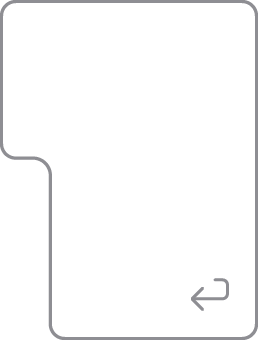
If your Return key looks like one of the images below, you have an ISO keyboard:
Japanese keyboard
If your Return key looks like the image below, you have a Japanese keyboard:
Identify the ANSI keyboard layouts
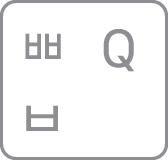
Find the Tab key or the key with the tab symbol  . The Q key to the right should look like one of the options below and will help you to identify your keyboard layout:
US English
(if the Caps Lock key is below the Tab key)

Chinese – Pinyin
(if the 中/英 key is below the key)
Korean
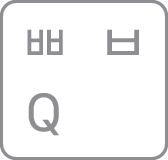
Thai
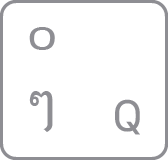
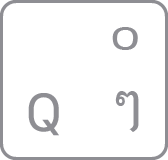
Chinese – Zhuyin
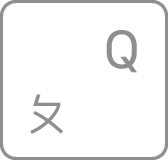
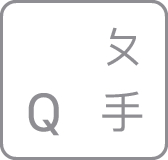
Identify the ISO keyboard layouts
Find the Tab key or the key with the tab symbol . The key to the right should look like one of the following options and will help you identify your keyboard layout:
Arabic
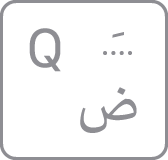
Bulgarian
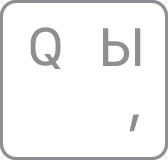
French / Belgian

Greek
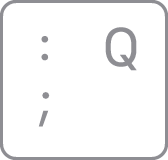
Hebrew
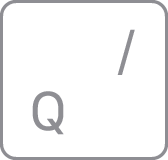
Russian
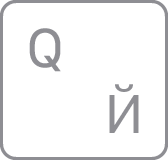
Turkish - F

The key to the right of the L key should look like one of the following options and will help you identify your keyboard layout:
Canadian French
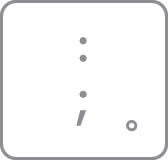
Croatian / Slovenian
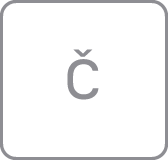
Czech
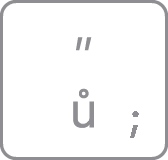
Danish

Italian
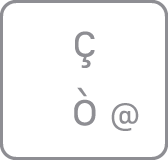
Norwegian

Portuguese
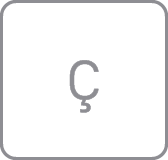
Slovak
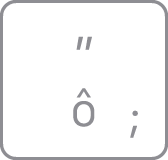
Spanish
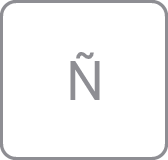
Swiss
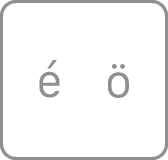
Find the key with P printed on it. The key to the right should look like one of the following options and will help you identify your keyboard layout:
German / Austrian
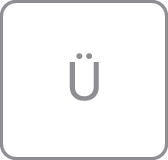
Hungarian
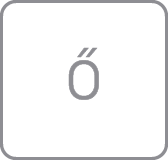
Icelandic

Spanish (Latin America)
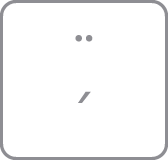
Swedish / Finnish

Turkish - Q
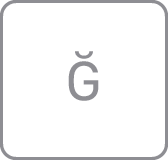
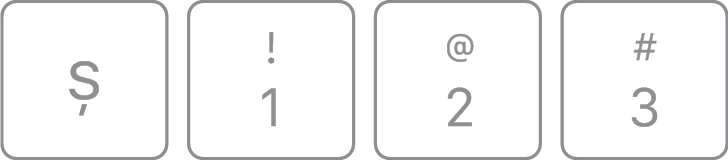
Look at the keys near the upper-left corner of the keyboard. The keys should look like one of the following sets and will help you identify your keyboard layout:
British / Irish
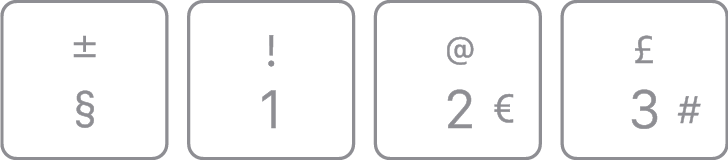
Dutch
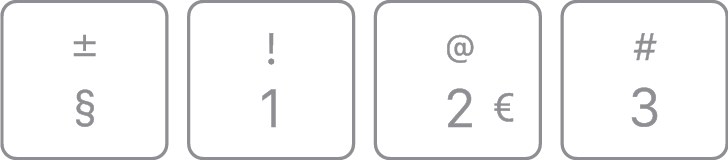
International English
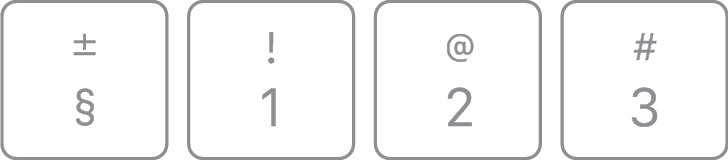
Romanian