Stream audio from iPhone or iPad using Control Center
- Make sure that your iPhone or iPad, and speakers or Apple TV are on the same network.
- Play music on your iPhone or iPad, then open Control Center:
- On iPhone X or later or iPad, swipe down from the upper-right corner of the screen.
- On iPhone 8 or earlier or iOS 11 or earlier, swipe up from the bottom edge of the screen.
- Tap AirPlay
 in the group of controls in the top-right corner.
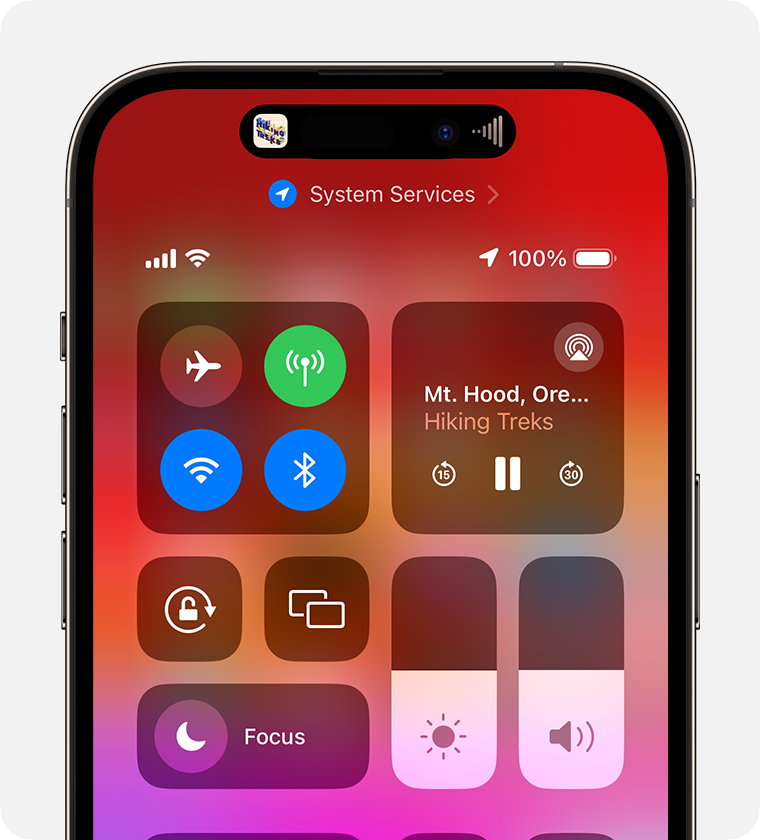
- Tap each speaker or TV that you want to play the current audio to.
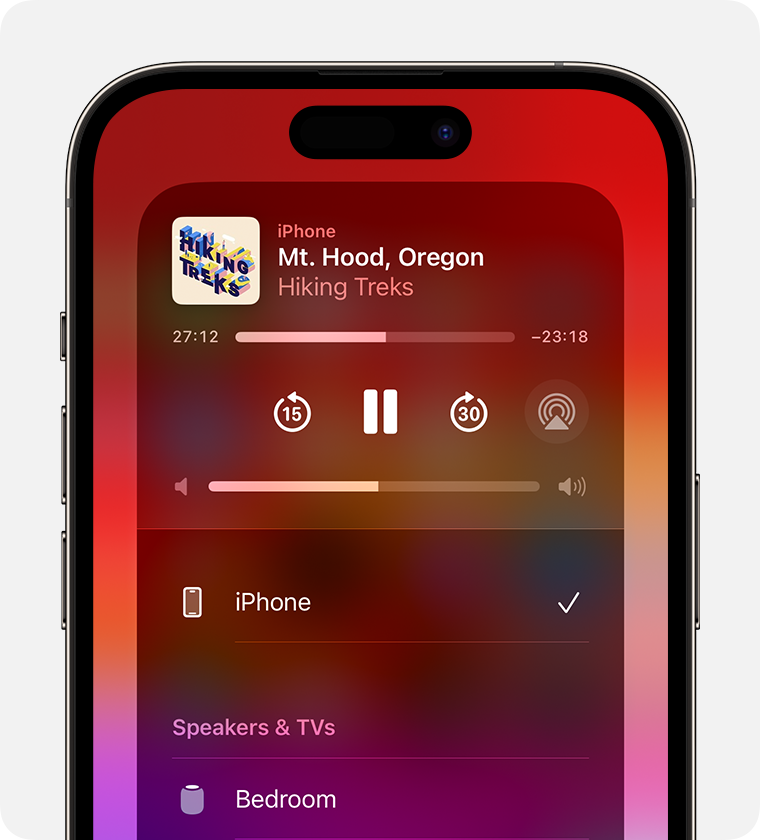
You can also use AirPlay to stream audio from an app you're using on your device. Just open the app, tap AirPlay , then tap a speaker or tap multiple speakers.
Stream audio automatically from iPhone or iPad
Depending on your AirPlay & Handoff settings, your iPhone or iPad can suggest or automatically connect to devices you regularly use with AirPlay.
To adjust your AirPlay & Handoff settings:
- Go to Settings on your iPhone or iPad with the latest version of iOS.
- Tap General.
- Tap AirPlay & Handoff > Automatically AirPlay.
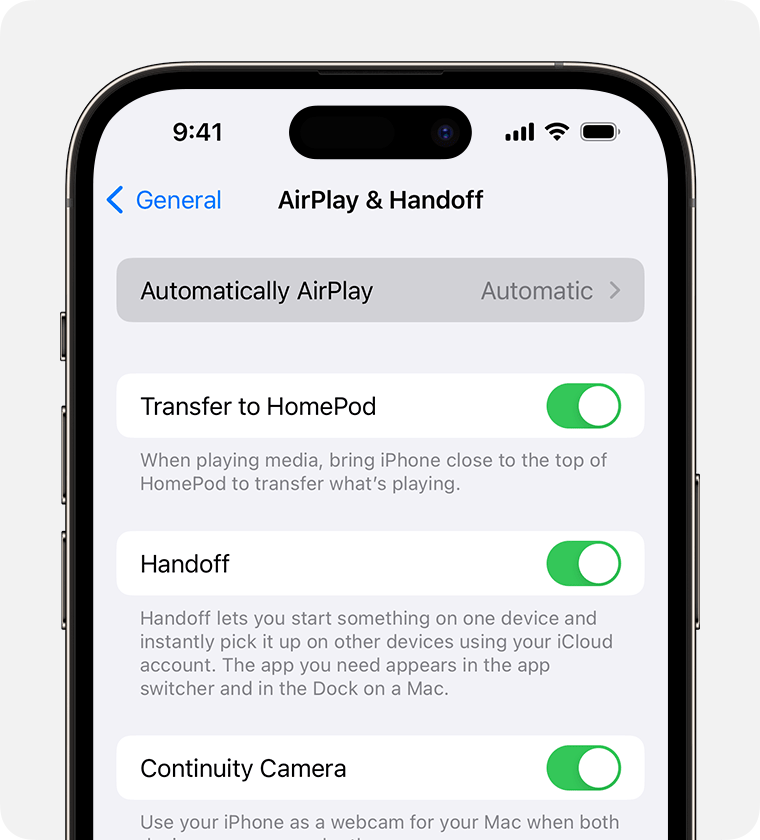
- Choose a setting.
- Never: Manually choose a device for AirPlay.
- Ask: Get suggested AirPlay connection notifications. Tap the suggested AirPlay connection notification to make the connection, or dismiss or ignore it and manually choose a different device for AirPlay.
- Automatic: Get suggested and automatic AirPlay connection notifications. Dismiss or ignore the automatic AirPlay connection notification, then tap play in the app you are using to use the connection. Or tap the undo button
 to quickly disconnect and manually choose a different device for AirPlay.
Your iPhone or iPad and your AirPlay-enabled device must be on the same Wi-Fi network before you can get automatic and suggested AirPlay connections. To get automatic and suggested AirPlay connections to your Apple TV or HomePod, make sure your Apple TV or HomePod is logged in to the same iCloud account as your iPhone or iPad.
Stream audio from Apple TV
You can send audio from Apple TV to one or more AirPlay–enabled devices, like HomePod and other smart speakers and TVs, that are connected to the same network in your home.
Stream audio from Mac
Make sure that your Mac and speakers are on the same network. Open the Apple Music app, click AirPlay in the playback controls, then select a speaker or multiple speakers.
If you don't see the AirPlay icon or if you want to stream audio from a different app:
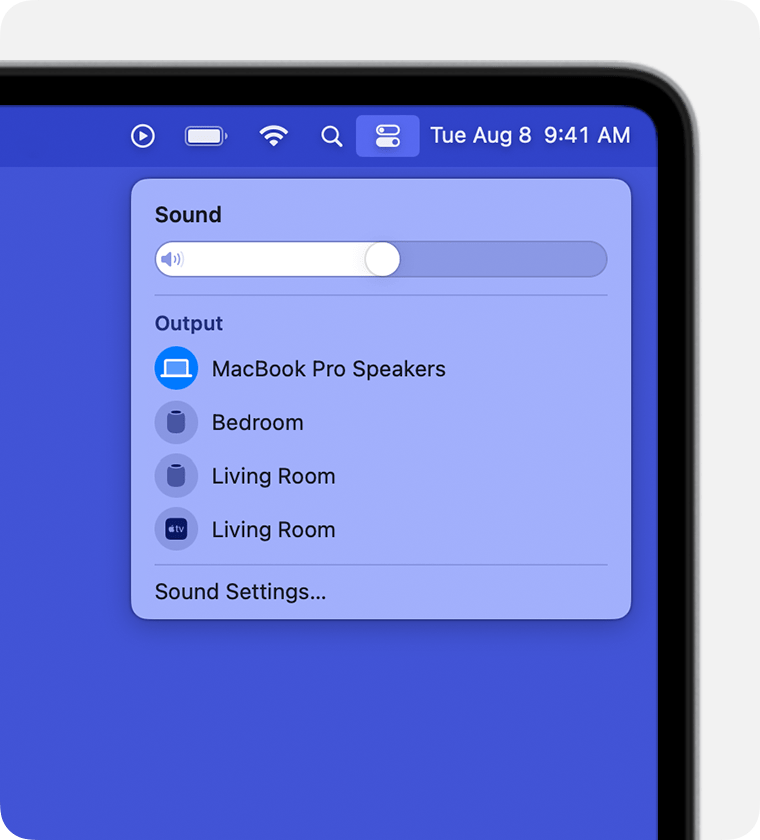
- On your Mac, select Control Center
 in the menu bar.
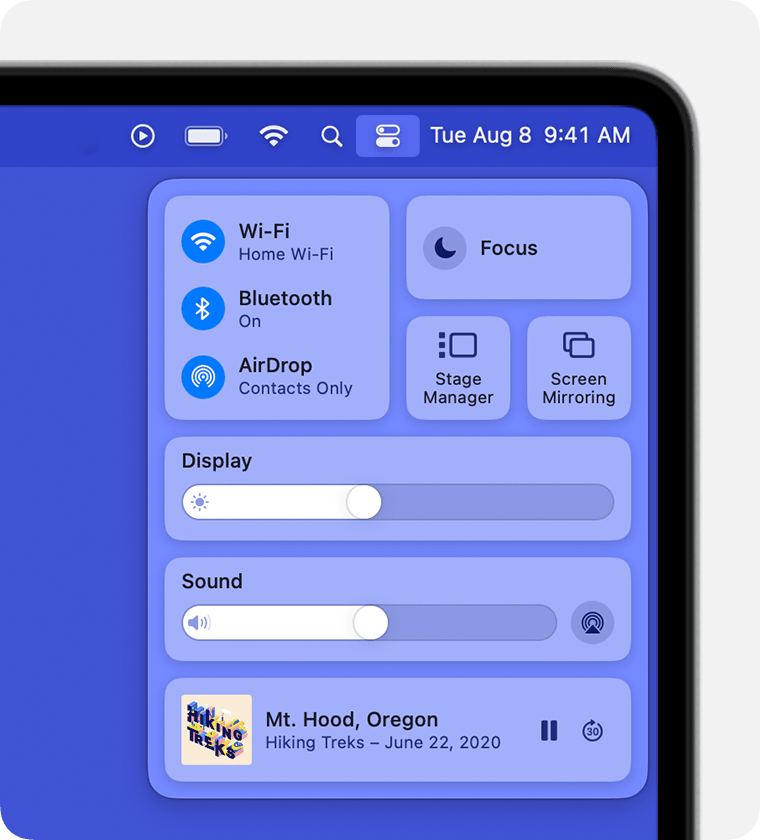
- Click AirPlay under Sound.
- Select a speaker that you want to play the current audio on. You can't use AirPlay to stream audio to multiple speakers from Control Center on a Mac.
Need help?
Learn what to do if streaming isn't working on your AirPlay-compatible device.