Use your Apple keyboard in Windows with Boot Camp
If you've used Boot Camp to install Microsoft Windows on your Mac, the keyboard you use for macOS can also be used for Windows.
Mac equivalents of Windows keys
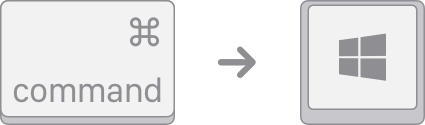
Windows logo: Press Command (⌘).
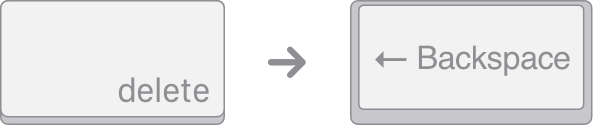
Backspace or Delete: Press Delete.
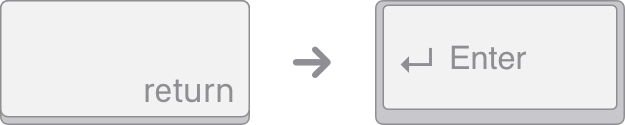
Enter or ⏎: Press Return.
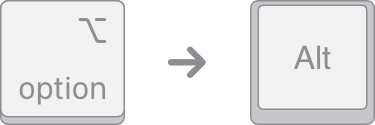
Alt (left): Press Option (⌥).
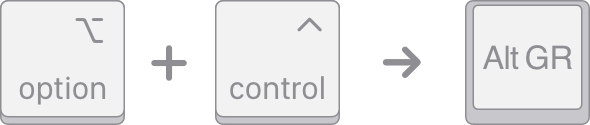
Alt GR (right): Press Option + Control.
Applications: This key isn't available on Apple keyboards.

Use the On-Screen Keyboard for other functions
If your Apple keyboard doesn't include the following keys, you can recreate them in Windows using the On-Screen Keyboard.
Pause/Break
Insert
Forward Delete
Home
End
Page Up
Page Down
Number Lock
Scroll Lock
Use the Snipping Tool to print screen
To recreate the Print Screen and Print Active Window function in Windows, use the Snipping Tool.
If your keyboard isn't working as expected in Windows
If your Apple keyboard works as expected in macOS but not in Windows, try these solutions:
If you're using Microsoft Windows 10 N, install the latest Media Feature Pack.
Information about products not manufactured by Apple, or independent websites not controlled or tested by Apple, is provided without recommendation or endorsement. Apple assumes no responsibility with regard to the selection, performance, or use of third-party websites or products. Apple makes no representations regarding third-party website accuracy or reliability. Contact the vendor for additional information.
