Print to an AirPort base station from Windows XP
Learn about printing to an AirPort base station from Microsoft Windows XP.
Before you begin:
Download and install Bonjour for Windows.
You should also install the latest printer drivers from your printer manufacturer's website.
If you use Microsoft Windows XP SP3 or later, you can print to a USB printer connected to an AirPort base station.
Follow these steps:
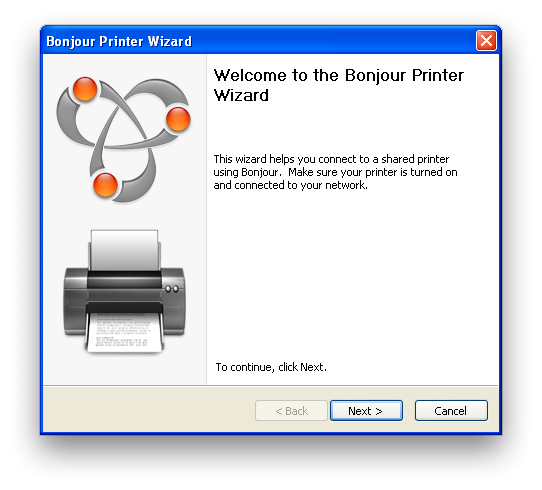
Open the Bonjour Printer Wizard for Windows XP by choosing Start > All Programs > Bonjour > Bonjour Printer Wizard from the Start Menu.
Click Next.
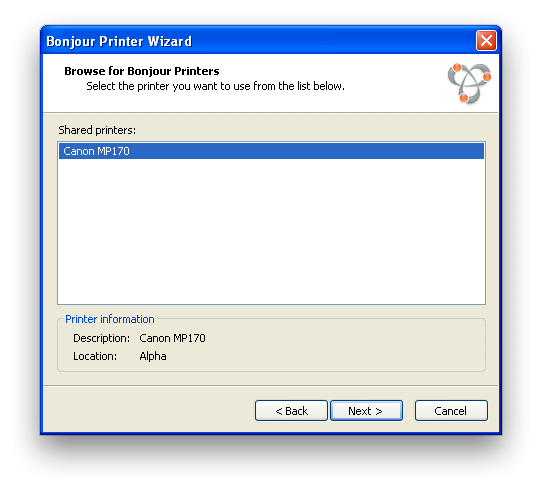
Select your printer.
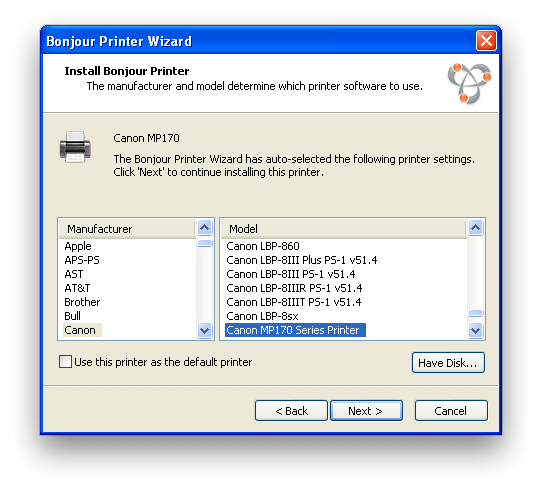
Select your printer driver.
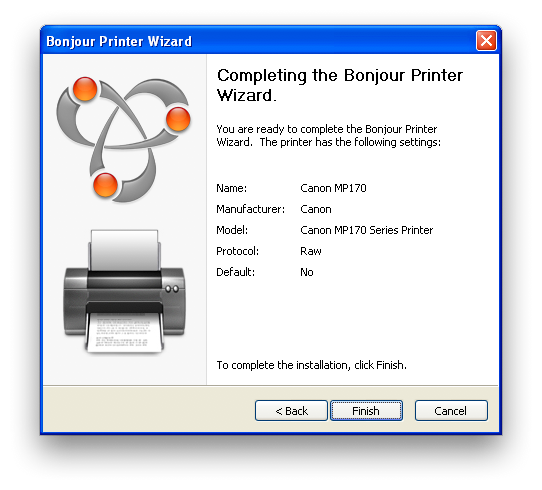
Click Finish.
Information about products not manufactured by Apple, or independent websites not controlled or tested by Apple, is provided without recommendation or endorsement. Apple assumes no responsibility with regard to the selection, performance, or use of third-party websites or products. Apple makes no representations regarding third-party website accuracy or reliability. Contact the vendor for additional information.

