Rebuild the Spotlight index on your Mac
If you get unexpected results when searching your Mac, rebuilding the Spotlight index might help.
Before rebuilding the Spotlight index
Follow the steps for when Spotlight returns unexpected results.
If you're having difficulty finding items in the Mail app, follow the steps to rebuild Mailboxes in Mail.
Rebuild the Spotlight index
Follow the appropriate steps, based on the version of macOS that you're using.
macOS Ventura or later
Choose Apple menu > System Settings.
Click Siri & Spotlight in the sidebar, then scroll down and click Spotlight Privacy on the right.
Drag the disk or folder that you want to index again to the list of locations that Spotlight is prevented from searching. Or click the add button (+) and select the disk or folder to add.*
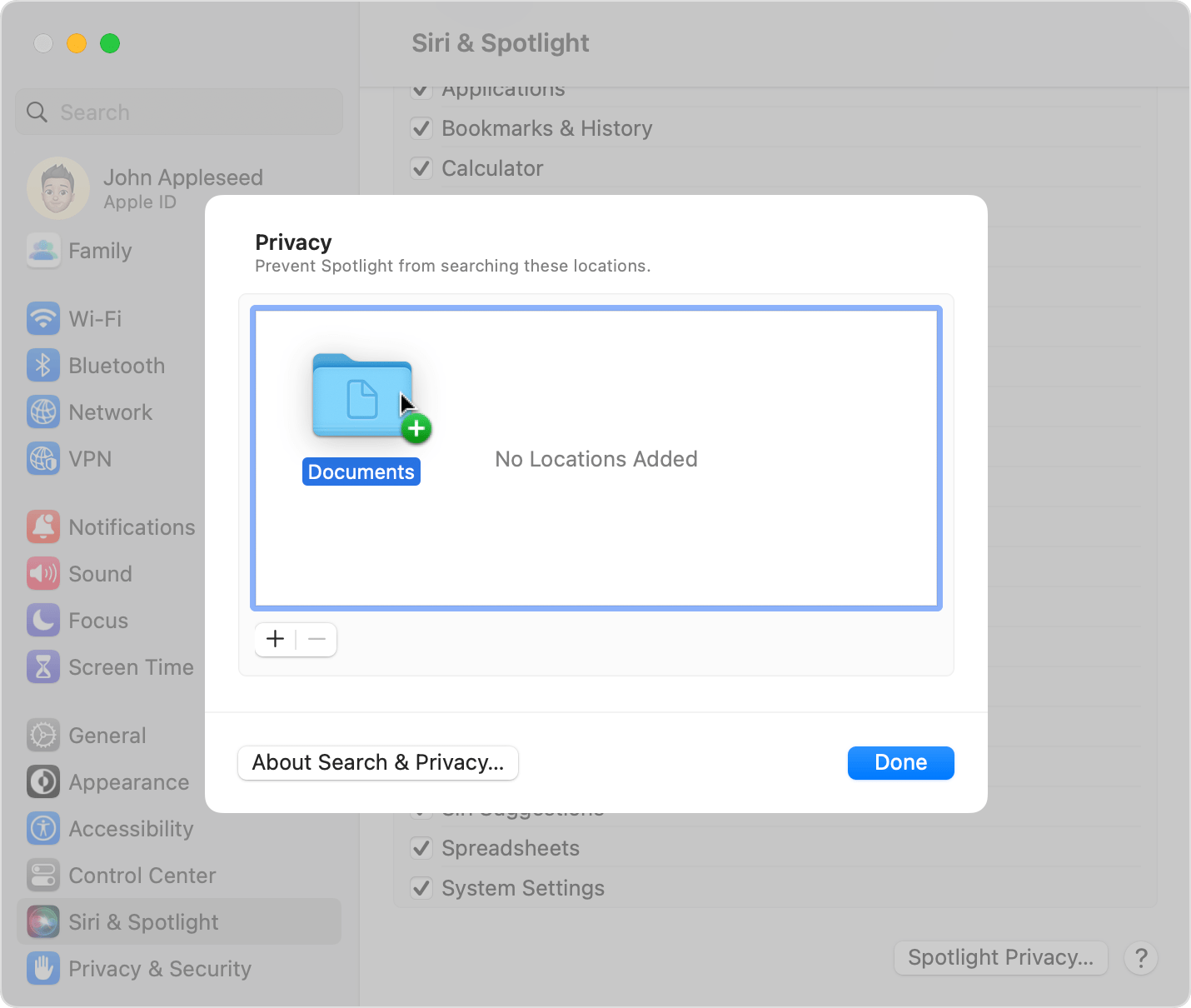
From the same list of locations, select the disk or folder that you just added. Then click the remove button (–) to remove it from the list.
Click Done, then quit System Settings. Spotlight will reindex the contents of the disk or folder. This can take some time, depending on the amount of information being indexed.
Earlier versions of macOS
Choose Apple menu > System Preferences, then click Spotlight.
Click the Privacy tab.
Drag the disk or folder that you want to index again to the list of locations that Spotlight is prevented from searching. Or click the add button (+) and select the disk or folder to add.*
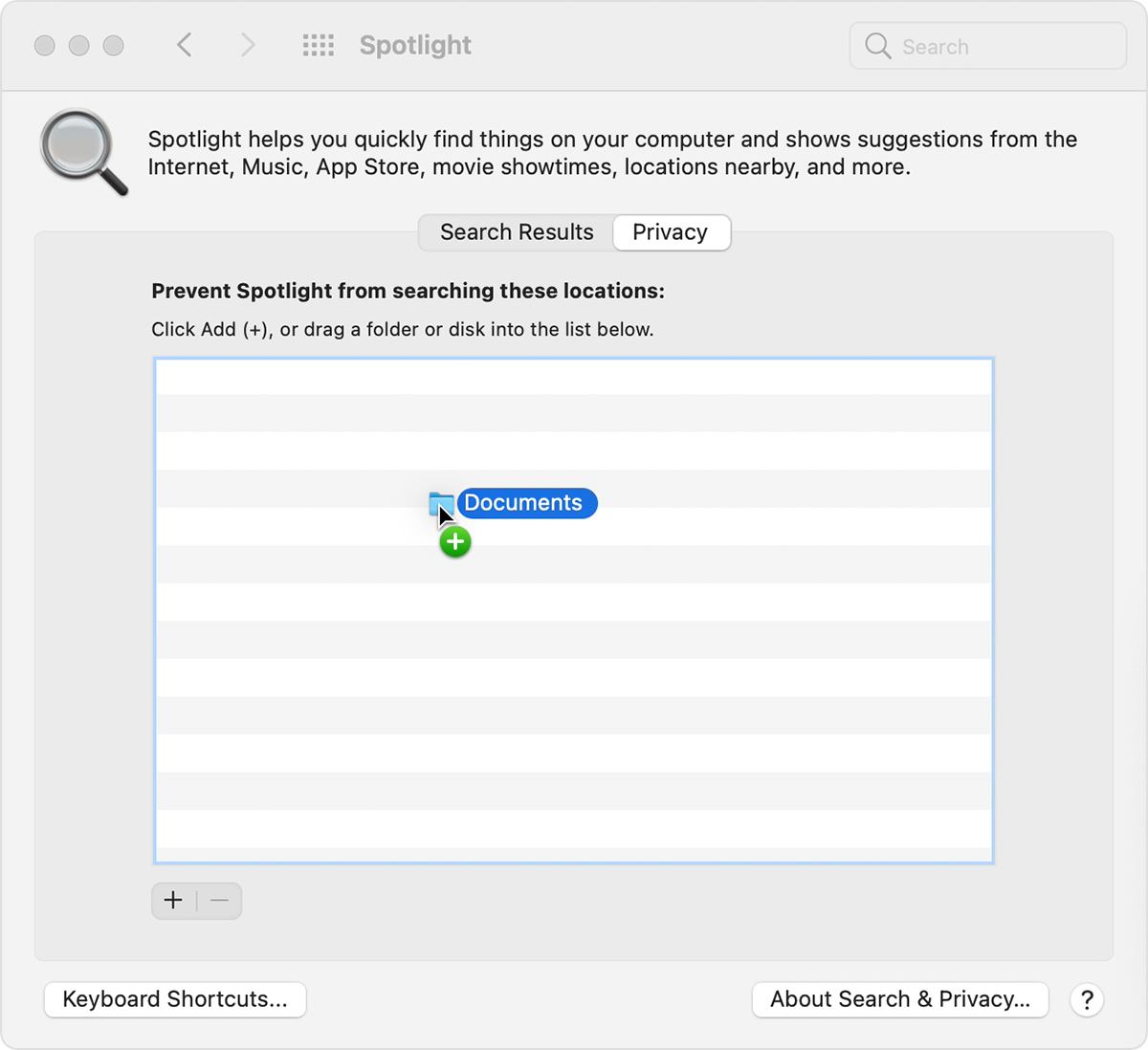
From the same list of locations, select the disk or folder that you just added. Then click the remove button (–) to remove it from the list.
Quit System Preferences. Spotlight will reindex the contents of the disk or folder. This can take some time, depending on the amount of information being indexed.
* You can add an item only if you have ownership permissions for that item. To learn about permissions, choose Help from the Finder menu bar, then search for “permissions.”

