
Sync contacts and calendars in iTunes on Mac with devices
You can use iTunes to sync the contacts and calendars from your computer to your iPod, iPhone, or iPad. iTunes also syncs this information from your device to your computer—for example, if you add contacts on your iPad, syncing adds those contacts to your computer’s Contacts.
Note: If you use OS X 10.9.5 or later, you can sync only contacts and calendars. Other types of info are updated on your computers and iOS devices via iCloud. See iCloud Help.
Sync contacts and other info with iPod touch, iPhone, or iPad
When you sync, iTunes determines whether your device or your computer contains the most recent information, and lets you choose the information you want to sync.
Connect your device to your computer.
In the iTunes app
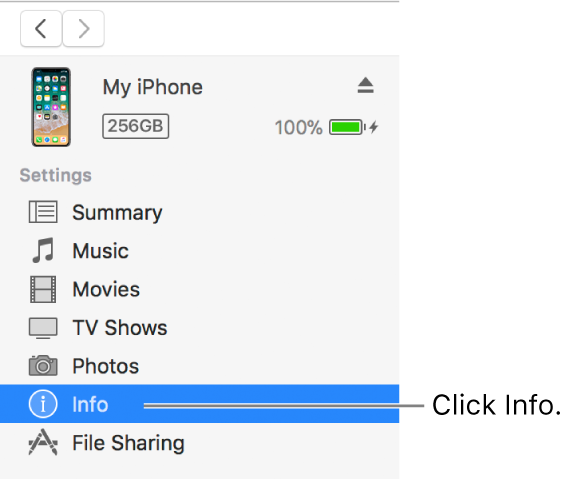
on your Mac, click the Device button near the top left of the iTunes window.
Click Info.
Select the items you want to sync.
Click Apply.
If you have problems syncing, try syncing only certain information. For example, deselect the Sync checkboxes on the Music, Photos, Podcasts, Movies, and TV Shows panes, and try syncing only Info.
You can also sync information wirelessly with your iPod touch, iPhone, or iPad using iCloud or Microsoft Exchange. Any items you sync with these applications can also be synced with iTunes.
See the documentation that came with your device or the Apple Support website.