Delete emails on your iPhone or iPad
You can use simple gestures to delete emails and select Trash or Archive as the default option.
Delete multiple emails at once
Open Mail and go to your Inbox.
Tap Edit in the upper-right corner, then individually select the emails that you want to delete, or tap Select All. To select multiple emails quickly, swipe down through the checkboxes.
Tap Trash or Archive. If you only see Archive, touch and hold Archive to see other options like Trash Selected Messages.
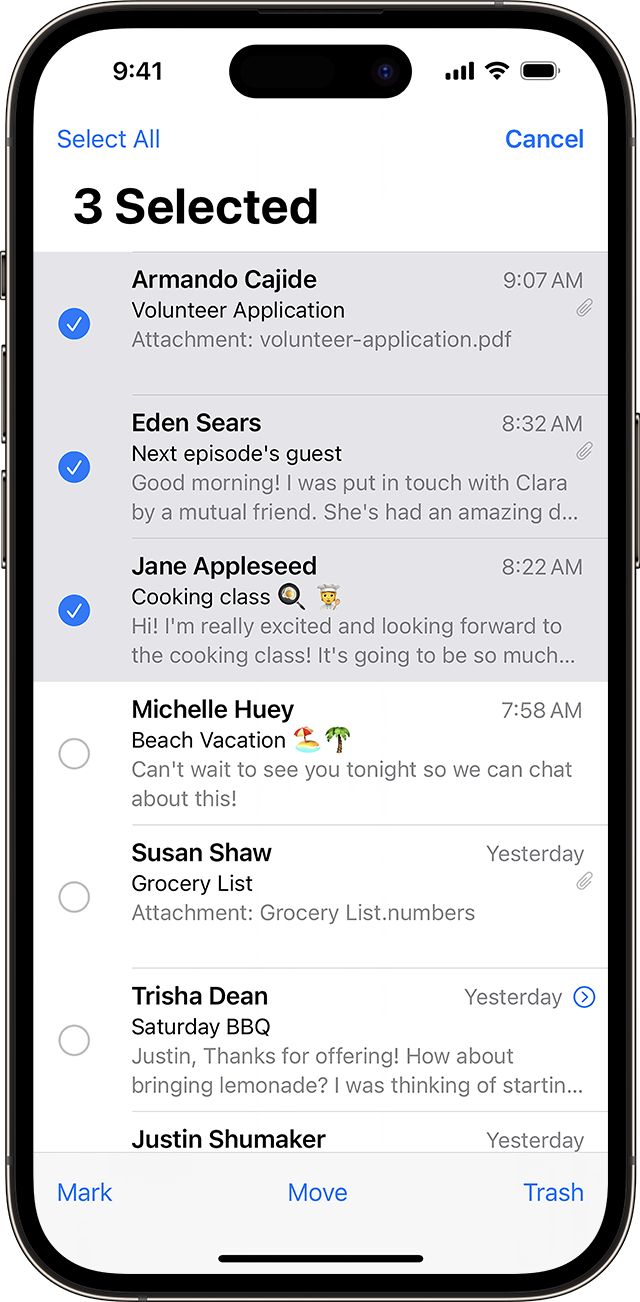
To delete a large number of emails, you might find it easier to use your email provider's website.
Set Trash or Archive as your default option
Depending on the type of email account you have, you might see Archive instead of Trash when you try to delete emails. You can edit where your deleted messages go in your Mail settings:
In the Settings app, tap Mail.
Tap Accounts.
Tap your account.
Tap your account once more.
Tap Advanced.
Select Deleted Mailbox or Archive Mailbox to send discarded messages there.
Swipe to delete and other ways to discard one email
Swipe left quickly over a single email.
Touch and hold an email from your Inbox, then tap Trash Message from the menu.
Tap the Archive button
 or the Trash button
 from within an email.
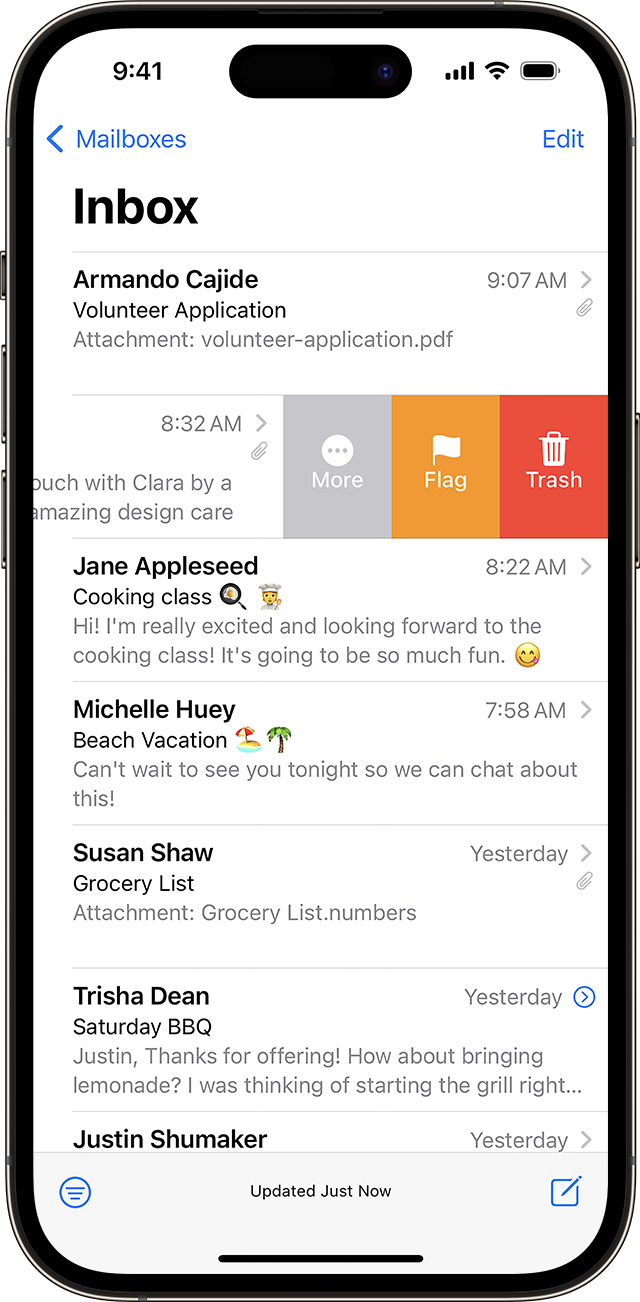
You can also use the steps to delete multiple emails to delete a single email.


