Redeem digital copies of DVDs or Blu-rays in the Apple TV app
Some DVD, Blu-ray, and 4K titles might include a Digital Copy of your movie in addition to the physical disc.
Redeem digital copies with a redemption code
Enter your code in the Apple TV app.
Enter a codeRedeem on your iPhone or iPad
Open the Apple TV app.
In the upper-right corner, tap the profile icon
 or your photo.
Tap Redeem Gift Card or Code.
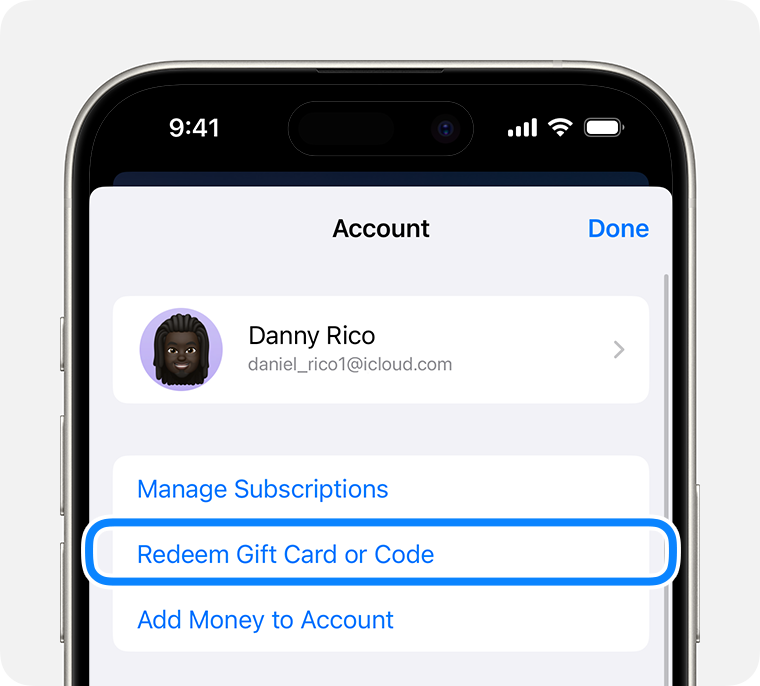
Tap "Enter Code Manually," then enter the 12-digit code printed on the insert included with your disc.
Tap Redeem.
Learn what to do if you can't redeem your content code.
Redeem on your Mac
Open the Apple TV app.
From the menu bar, choose Account > Redeem.
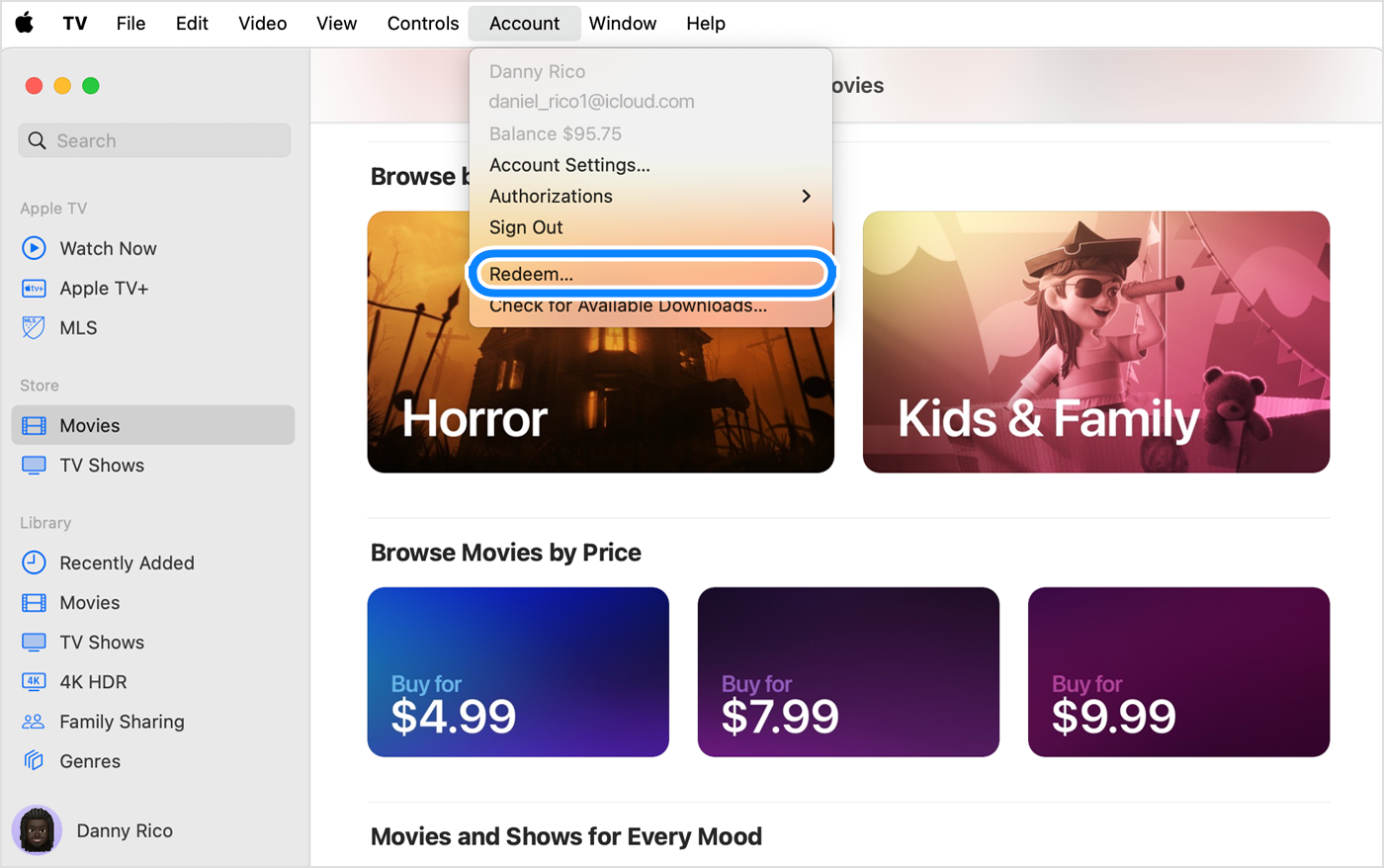
Sign in to your Apple Account.
Enter the 12-digit code printed on the insert included with your disc. You might be able to use the camera on your Mac to redeem your code.
You can download the digital copy of your movie now or download it later.
Learn what to do if you can't redeem your content code.
Redeem on your Windows PC
Open the Apple TV app.
Click your name in the sidebar, then click Redeem. You might need to sign in to your Apple Account.
Enter the 12-digit code printed on the insert included with your disc.
You can download the digital copy of your movie now or download it later.
Learn what to do if you can't redeem your content code.
If you can't redeem the content code
Look for an expiration date on the packaging.
Make sure that you enter the correct characters. Some letters and numbers look alike.
Make sure that the packaging on your item says that the Digital Copy code will work in your country or region. For example, you need a U.S. Apple Account to use a code from a U.S. DVD, and you need an Australian Apple Account to use a code from an Australian DVD.
If your Digital Copy DVD, Blu-ray, or 4K title is damaged, scratched, or missing its redemption code or Digital Copy disc, contact the vendor for help.
If you still can't redeem the code or download your Digital Copy, contact Apple Support.
Information about products not manufactured by Apple, or independent websites not controlled or tested by Apple, is provided without recommendation or endorsement. Apple assumes no responsibility with regard to the selection, performance, or use of third-party websites or products. Apple makes no representations regarding third-party website accuracy or reliability. Contact the vendor for additional information.
