Find your Mac model name and serial number
Use any of these ways to find the model name and serial number of your Mac.
About This Mac
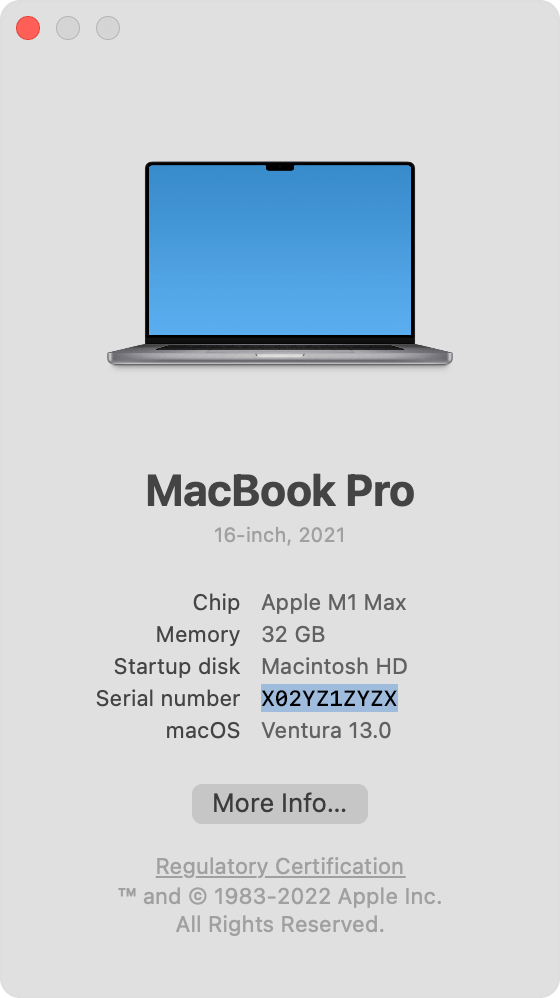
From the Apple menu in the corner of your screen, choose About This Mac. Then find the serial number in the information shown.
System Information
Press and hold the Option key on your keyboard while choosing Apple menu > System Information from the menu bar.
Select Hardware in the sidebar.
Find the model name and serial number on the right.
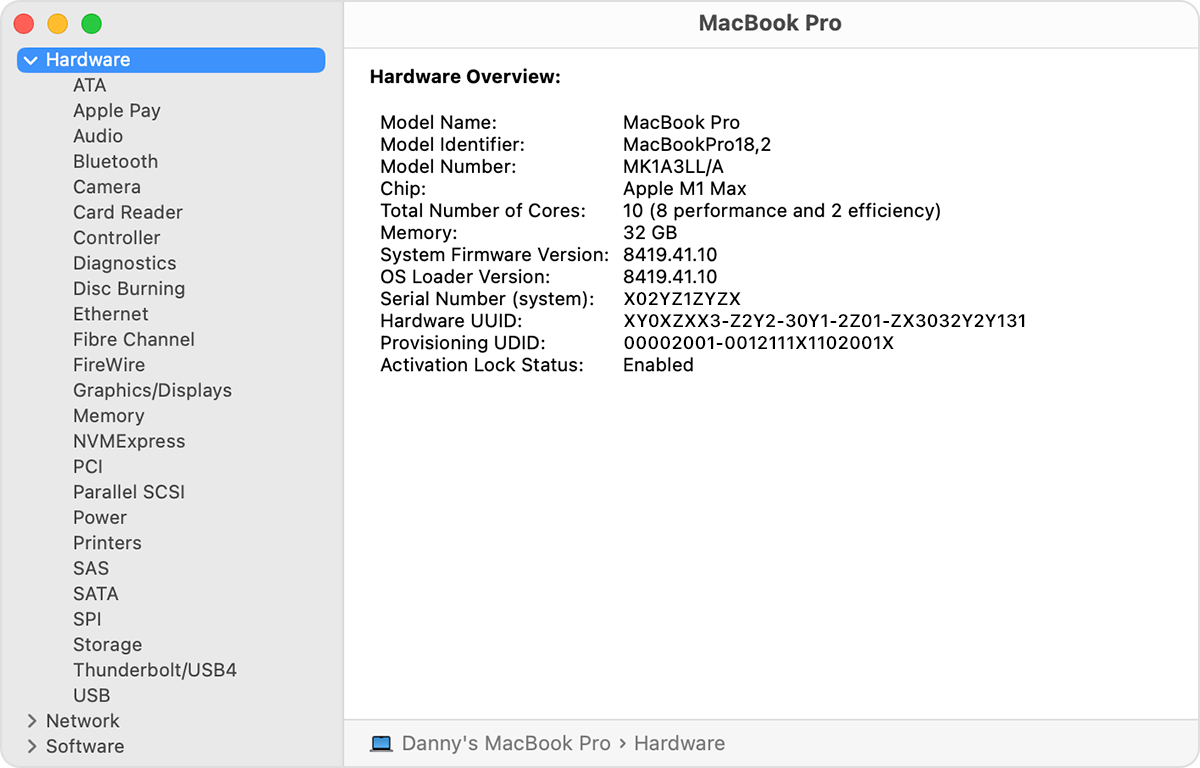
You can also have System Information read your serial number aloud. From the menu bar in System Information, choose File > Speak Serial Number. Or press Command-4.
Product or packaging
Look for the serial number printed on your Mac or its original packaging. For details, see the product-ID page for MacBook Pro, MacBook Air, MacBook, iMac, Mac mini, Mac Studio, or Mac Pro.
appleid.apple.com
Sign in to appleid.apple.com.
Click Devices in the sidebar.
If your Mac is listed on the right, click its name to see its model name and serial number.
Terminal
Open the Terminal app, which is in the Utilities folder of your Applications folder.
Type or paste this command in Terminal:
system_profiler SPHardwareDataTypePress Return to enter the command. Terminal then shows a hardware overview that includes the model name and serial number.
Terminal is also available from the Utilities menu when you start up your Mac from macOS Recovery.
If you still need help, contact an Apple Store or Apple Authorized Service Provider.
