Find the serial number of your iPod
Learn how to find the serial number of your iPod nano, iPod shuffle, or iPod touch.
You can find your serial number in several places. Keep in mind that Apple hardware product serial numbers may sometimes contain the number "0" (zero), but never the letter "O".
On the back of your iPod
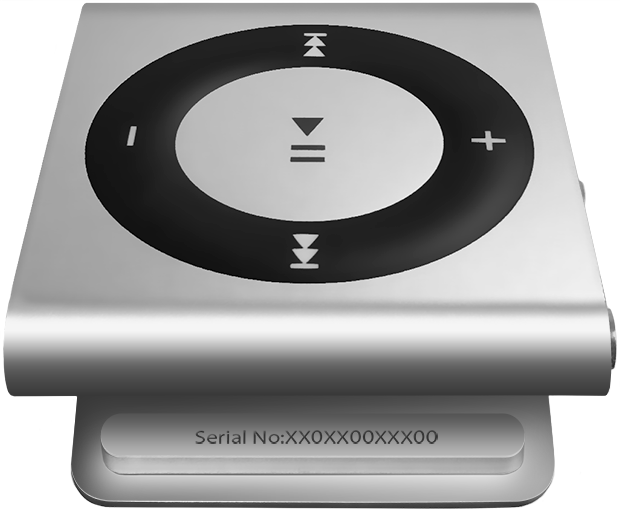
Depending on the model of your iPod, the serial number is either engraved on the back case or is on or below the clip. The images below show examples.
iPod nano and iPod touch
Engraved on the back case toward the bottom.

iPod shuffle (4th generation) and iPod nano (6th generation)
On the clip face that touches the back of the device when the clip is closed.
On the iPod About screen
You can find your serial number in the About screen on your iPod touch or iPod nano (6th generation or later). Go to Settings > General > About.
On your iPod packaging
If you have your product's original packaging, you can check the barcode to find the serial number.
On your iPod invoice or receipt
Some retailers may include the serial number of your iPod on the receipt.
Need more help?
Tell us more about what's happening, and we’ll suggest what you can do next.
