Identify your iPod model
Find out which iPod model you have by its model number and other details.
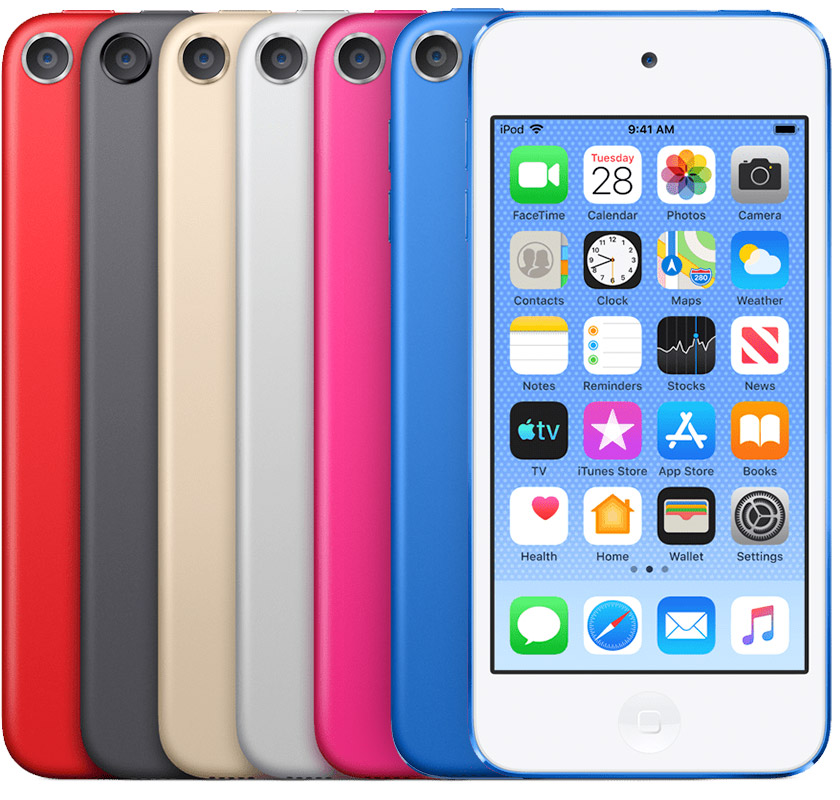
iPod touch (7th generation)
Navigation: Multi-Touch display
Capacity: 32, 128, 256 GB
Model number and date introduced: A2178: May 2019
iPod touch (7th generation) has an 8MP camera and FaceTime HD camera.
iPod touch (6th generation)
Navigation: Multi-Touch display
Capacity: 16, 32, 64, 128 GB
Model number and date introduced: A1574: July 2015
iPod touch (6th generation) has an iSight camera and FaceTime HD camera.
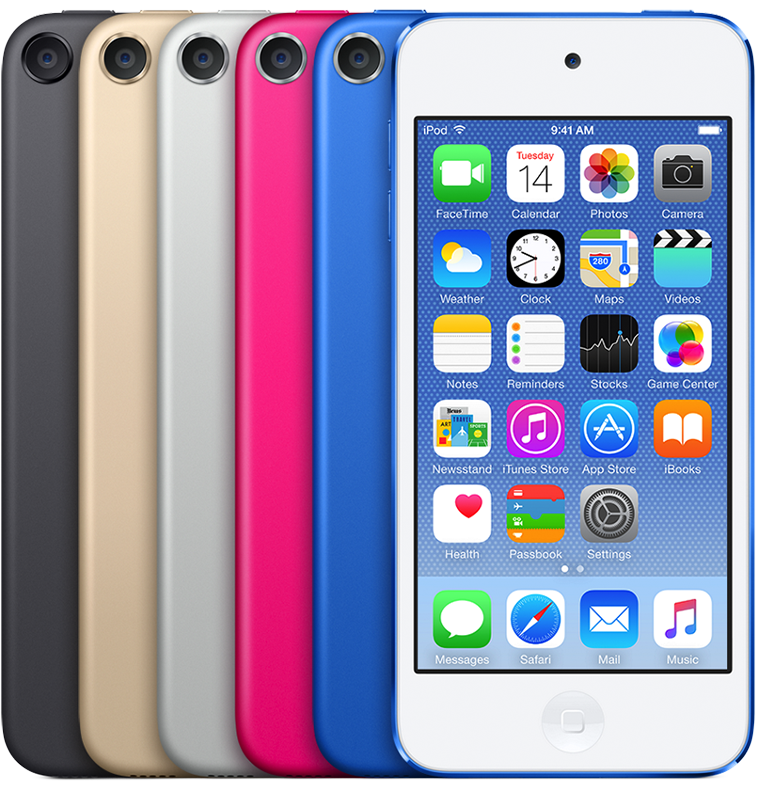
iPod touch (6th generation) is available in five colors, as well as a (PRODUCT)RED version.
iPod touch (5th generation)
Navigation: Multi-Touch display
Capacity: 16, 32, and 64 GB
Model numbers and dates introduced:
A1509: June 2014
A1421: May 2013
A1421: October 2012
iPod touch (5th generation) has an iSight camera and FaceTime HD camera. The iPod touch loop is included with the 32 GB and 64 GB models.
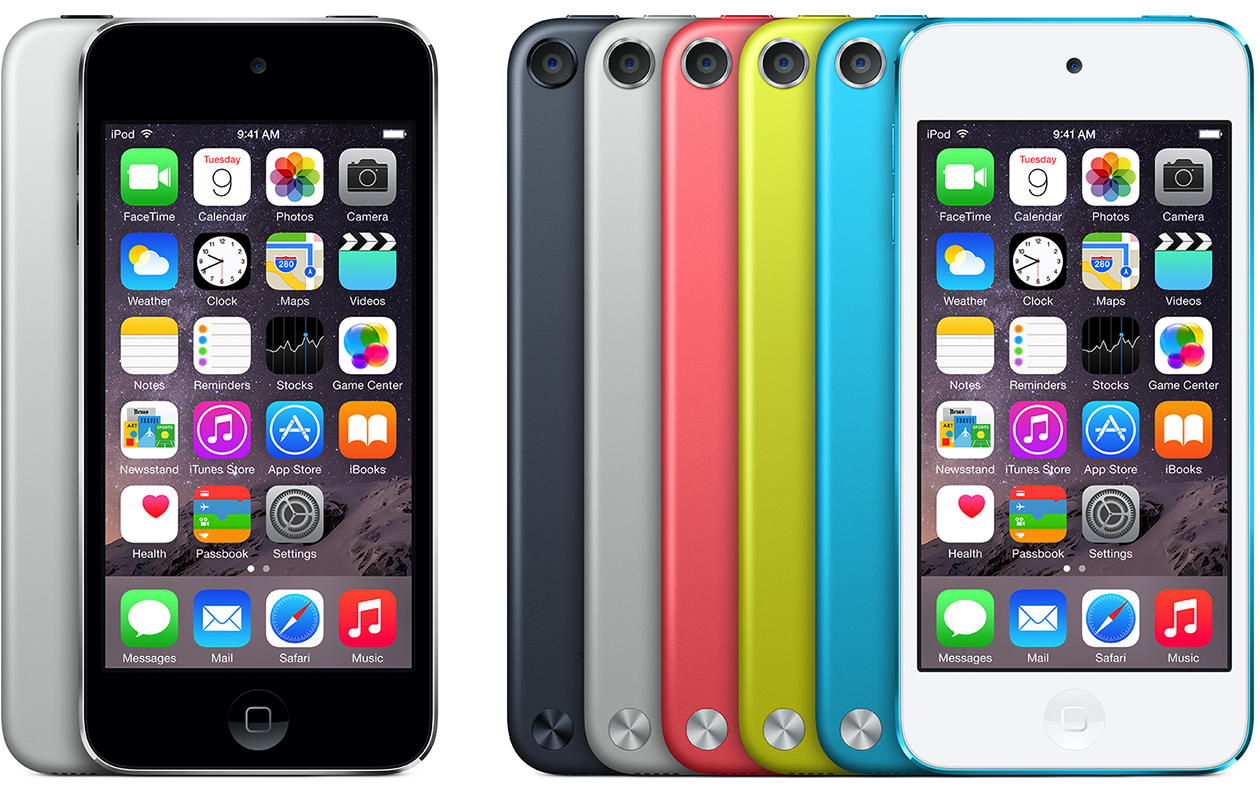
iPod touch (5th generation) is available in five colors.
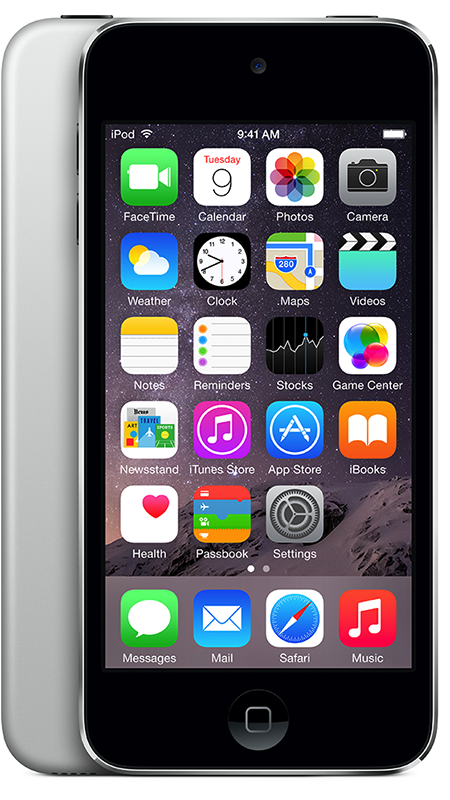
iPod touch (5th generation 16 GB, Mid 2013)
Navigation: Multi-Touch display
Capacity: 16 GB
Model number and date introduced: A1509: May 2013
This model is available in silver and has a FaceTime HD camera.
iPod touch (4th generation)
Navigation: Multi-Touch display
Capacity: 8, 16, 32, and 64 GB
Model numbers and dates introduced:
A1367: October 2012
A1367: October 2011
A1367: September 2010
iPod touch (4th generation) has an iSight camera and FaceTime HD camera.

iPod touch (4th generation) is available in white and black.
iPod touch (3rd generation)
Navigation: Multi-Touch display
Capacity: 32 and 64 GB
Model number and date introduced: A1318: September 2009
iPod touch (3rd generation) features a 3.5-inch (diagonal) widescreen Multi-Touch display and 32 GB or 64 GB flash drive.
You can distinguish the iPod touch (3rd generation) from iPod touch (2nd generation) by looking at the back of the device. In the text below the engraving, look for the model number.

iPod touch (2nd generation)
Navigation: Multi-Touch display
Capacity: 8, 16, and 32 GB
Model numbers and dates introduced:
A1288: September 2008
A1319 for China mainland only: September 2008
iPod touch (2nd generation) features a 3.5-inch (diagonal) widescreen Multi-Touch display and 8 GB, 16 GB, or 32 GB flash drive.
You can distinguish the iPod touch (2nd generation) from the previous model by its contoured design and oval shaped antennae cover in the back upper left corner.

iPod touch
Navigation: Multi-Touch display
Capacity: 8, 16, and 32 GB
Model numbers and dates introduced:
A1213: February 2008
A1213: September 2007
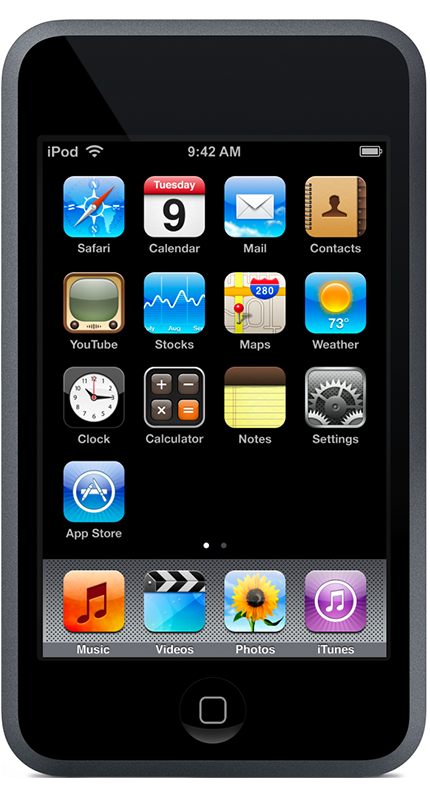
iPod touch features a 3.5-inch (diagonal) widescreen Multi-Touch display and 8 GB, 16 GB, or 32 GB flash drive. You can browse the web with Safari and watch YouTube videos on the first-ever Wi-Fi iPod. You can also search, preview, and buy songs from the iTunes Wi-Fi Music Store on iPod touch.
iPod nano (7th generation Mid 2015)
Navigation: Multi-Touch display
Capacity: 16 GB
Model number and dates introduced: A1446: July 2015

iPod nano (7th generation Mid 2015) is available in five colors, as well as a (PRODUCT)RED version.
iPod nano (7th generation)
Navigation: Multi-Touch display
Capacity: 16 GB
Model number and date introduced: A1446: October 2012

iPod nano (7th generation) is available in eight colors.
iPod nano (6th generation)
Navigation: Multi-Touch display
Capacity: 8 and 16 GB
Model number and date introduced: A1366: September 2010

iPod nano (6th generation) is available in six colors.
iPod nano (PRODUCT) RED Special Edition is available only from the Apple Store, with a 8 GB or 16 GB capacity. Apple contributes a portion of each iPod nano (PRODUCT) RED Special Edition purchase to the Global Fund to fight HIV/AIDS in Africa.
iPod nano (5th generation)
Navigation: Click Wheel
Capacity: 8 and 16 GB
Model number and date introduced: A1320: September 2009
You can distinguish the iPod nano (5th generation) from previous iPod nano models by:
Its taller screen when compared to iPod nano (4th generation)
Its polished anodized aluminum finish
The inclusion of a camera and microphone on the back of the device
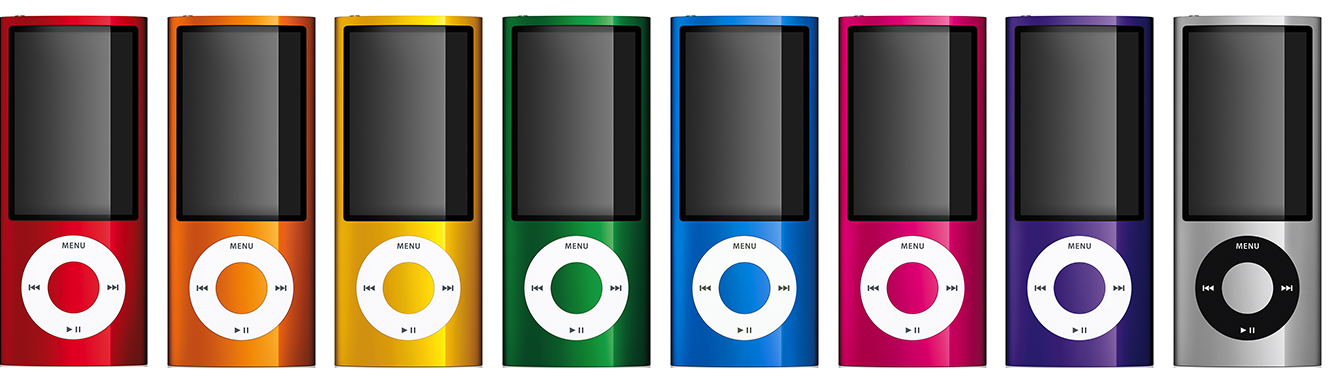
The iPod nano (5th generation) comes in nine colors.
iPod nano (4th generation)
Navigation: Click Wheel
Capacity: 8 and 16 GB
Model number and date introduced: A1285: September 2008
You can distinguish the iPod nano (4th generation) from previous iPod nano models by:
Its taller screen
Its curved surface
Its oval shape when seen from the top or bottom
The inclusion of an accelerometer that is used by the Shake feature.

The iPod nano (4th generation) comes in nine colors.
iPod nano (3rd generation)
Navigation: Click Wheel
Capacity: 4 and 8 GB
Model number and date introduced: A1236: September 2007
You can distinguish the iPod nano (3rd generation) from previous iPod nano models by:
Its wider screen
Hold switch is on the bottom
Its ability to play video
The last three characters of the serial number will be one of these: YOP, YOR, YXR, YXT, YXV, or YXX.
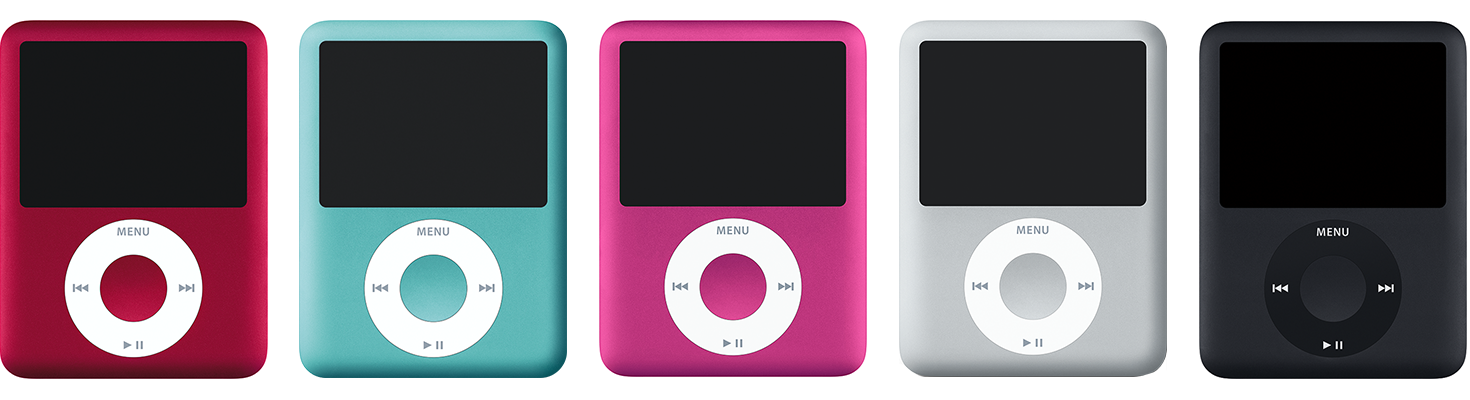
The iPod nano (3rd generation) comes in five colors.
iPod nano (2nd generation)
Navigation: Click Wheel
Capacity: 2, 4, and 8 GB
Model number and date introduced: A1199: September 2006
You can distinguish the iPod nano (2nd generation) from other models by:
Its smaller size
Its colors
The dock connector and headphone port are both located on the bottom of the device

The iPod nano (PRODUCT) RED Special Edition is an iPod nano (2nd generation) available in red and with a 4 GB or 8 GB drive capacity. With each iPod nano (PRODUCT) RED purchased, $10 from the sale goes directly to the Global Fund to fight AIDS in Africa.
iPod nano
Navigation: Click Wheel
Capacity: 1, 2, and 4 GB
Model numbers and dates introduced:
A1137: February 2006
A1137: September 2005
iPod nano is smaller than iPod mini and has a color screen and a Click Wheel but has flash memory instead of a hard drive. You sync music and photos with a USB 2 cable—not FireWire. The capacity of the iPod nano is engraved on the back of the case.

iPod nano comes in white and black.
iPod shuffle (4th generation Mid 2015)
Navigation: Control Pad
Capacity: 2 GB
Model number and dates introduced: A1373: July 2015

iPod shuffle (4th generation Mid 2015) is available in five colors, as well as a (PRODUCT)RED version.
iPod shuffle (4th generation Late 2012)
Navigation: Control Pad
Capacity: 2 GB
Model number and date introduced: A1373: September 2012

iPod shuffle (4th generation Late 2012) is available in seven colors.
iPod shuffle (4th generation)
Navigation: Control Pad
Capacity: 2 GB
Model number and date introduced: A1373: September 2010

iPod shuffle (4th generation) is available in five colors.
iPod shuffle (3rd generation Late 2009)
Navigation: Apple Earphones with Remote
Capacity: 2 and 4 GB
Model number and dates introduced: A1271: September 2009
iPod shuffle (3rd generation Late 2009) includes a three-position switch that toggles between off, play in order, and shuffle, similar to the original iPod shuffle. This model has a headphone port that also connects to a computer's USB port. It has a clip similar to the iPod shuffle (2nd generation). iPod shuffle (3rd generation Late 2009) is smaller than the previous generations and has one status light. Previous iPod shuffle generations had two.

iPod shuffle (3rd generation Late 2009) is available in five colors.
The iPod shuffle (3rd generation Late 2009) also comes in a Special Limited Edition 4 GB model only available from the Apple Store. It comes in polished stainless steel.
iPod shuffle (3rd generation)
Navigation: Apple Earphones with Remote
Capacity: 4 GB
Model number and date introduced: A1271: March 2009
iPod shuffle (3rd generation) includes a single 3-position switch that toggles between off, play in order, and shuffle similar to the original iPod shuffle. This model has a headphone port that also connects to a computer's USB port. It has a clip similar to the iPod shuffle (2nd generation). iPod shuffle (3rd generation) is smaller than the previous generations and has one status light. Previous iPod shuffle generations had two.

iPod shuffle (2nd generation)
Navigation: Control Pad
Capacity: 1 and 2 GB
Model numbers and dates introduced:
A1204: February 2008
A1204: September 2006
iPod shuffle (2nd generation) is smaller than the original iPod shuffle and has no USB connector.
The last three characters of the serial number will be one of these: 1ZH, 1ZK, 1ZM, 1ZP, or 1ZR.

iPod shuffle
Navigation: Control Pad
Capacity: 512 MB and 1 GB
Model number and date introduced: A1112: January 2005
iPod shuffle is smaller than iPod mini and has no display. There are LED lights on the front and back. The capacity of the drive is engraved on the front USB connector.

iPod mini (2nd generation)
Navigation: Click Wheel
Capacity: 4 and 6 GB
Model number and date introduced: A1051: February 2005

You can distinguish the iPod mini (2nd generation) models from the original iPod mini models by:
The hard-drive size is engraved on back of the device
The Click Wheel text color matches the color of the device
iPod mini
Navigation: Click Wheel
Capacity: 4 GB
Model number and date introduced: A1051: January 2004
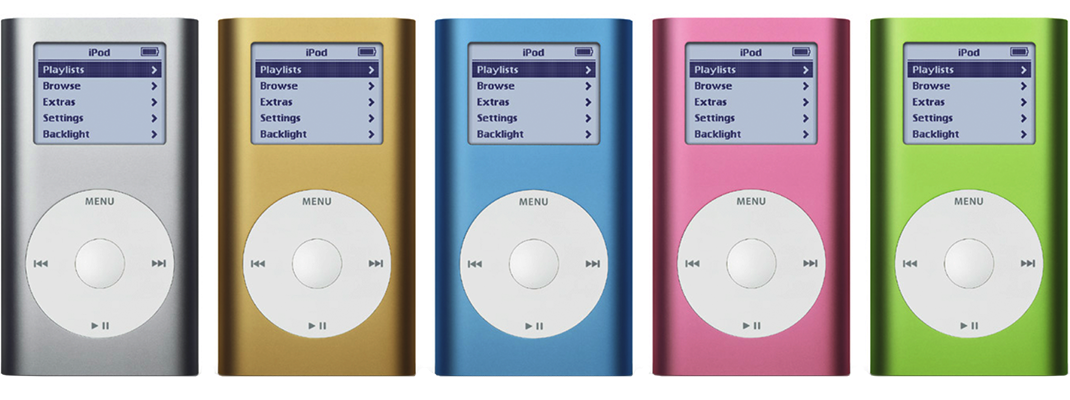
iPod mini is distinguished from other models by:
Its smaller size
Its colors
The Hold switch, which is on the top-left side
The Click Wheel's button labels, which are on the wheel itself
iPod classic 160 GB (Late 2009)
Navigation: Click Wheel
Capacity: 160 GB
Model number and date introduced: A1238: September 2009
The iPod classic 160 GB (Late 2009) is a hard drive-based iPod featuring a large, widescreen color display, a Click Wheel, and the capability of displaying photos and videos. It uses USB for syncing.
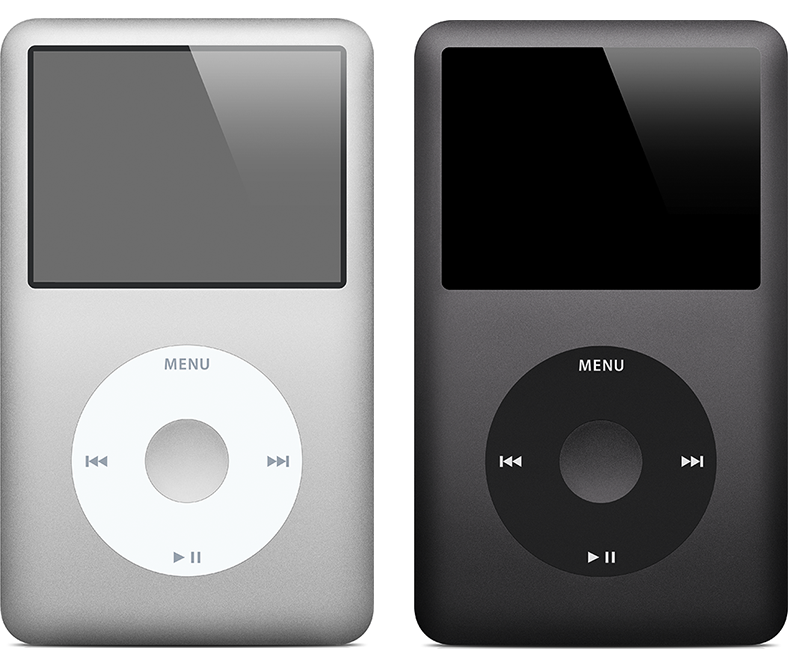
The iPod classic is available in silver and black, and has an anodized aluminum and polished stainless steel enclosure.
iPod classic (120 GB)
Navigation: Click Wheel
Capacity: 120 GB
Model number and date introduced: A1238: September 2008
The iPod classic (120 GB) is a hard drive-based iPod featuring a large, widescreen color display, a Click Wheel, and the capability of displaying photos and videos. It uses USB for syncing.
The iPod classic is available in silver and black, and has an anodized aluminum and polished stainless steel enclosure.
iPod classic
Navigation: Click Wheel
Capacity: 80 and 160 GB
Model number and date introduced: A1238: September 2007
The iPod classic is a hard drive-based iPod featuring a large, widescreen color display, a Click Wheel, and the capability of displaying photos and videos. It uses USB for syncing.
The last three characters of the serial number will be one of these: Y5N, YMU, YMV, or YMX.
The iPod classic is available in silver and black, and has an anodized aluminum and polished stainless steel enclosure.
iPod (5th generation Late 2006)—also known as iPod with video or Fifth Generation iPod
Navigation: Click Wheel
Capacity: 30 and 80 GB
Model number and date introduced: A1238: September 2006
The last three characters of the serial number will be one of these: V9K, V9P, V9M, V9R, V9L, V9N, V9Q, V9S, WU9, WUA, WUB, WUC, or X3N. The Fifth Generation U2 Special Edition iPod (30 GB Late 2006) serial number's last three characters are W9G.

iPod (5th generation)—also known as iPod with video or Fifth Generation iPod
Navigation: Click Wheel
Capacity: 30 and 60 GB
Model number and date introduced: A1238: October 2005
The iPod (5th generation) is a hard drive-based iPod featuring a large, widescreen color display, a Click Wheel, and the capability of displaying photos and videos. It uses USB for syncing.
The iPod (5th generation) comes in white and black.
iPod Special Edition U2
Navigation: Click Wheel
Capacity: 20 and 30 GB
Model numbers and dates introduced:
A1136: September 2006
A1136: June 2006
A1099: June 2005
A1059: October 2004
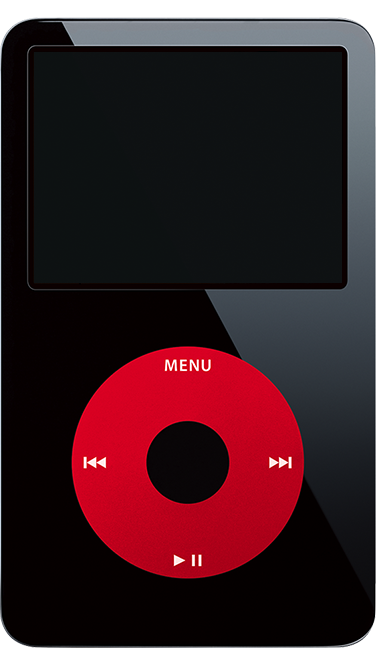
The iPod Special Edition U2 is a standard iPod model with some differences, including: Black plastic exterior, red Click Wheel, signatures of the U2 band members engraved on the back, and "iPod Special Edition U2" engraved on the back.
The first model was based on an iPod (Click Wheel) with a 20 GB hard drive. In June 2005, a new version of the iPod Special Edition U2 was introduced that was based on an iPod with color display. These are both also considered fourth-generation iPod models. In June 2006, a new version of the iPod Special Edition U2 was introduced that is based on a 5th-generation iPod (also known as iPod with video) with a 30 GB hard drive. In September 2006, a model based on the iPod (5th generation Late 2006) was introduced.
The last three characters of the serial number are W9G.
iPod with color display
Navigation: Click Wheel
Capacity: 20 and 60 GB
Model number and date introduced: A1099: June 2005
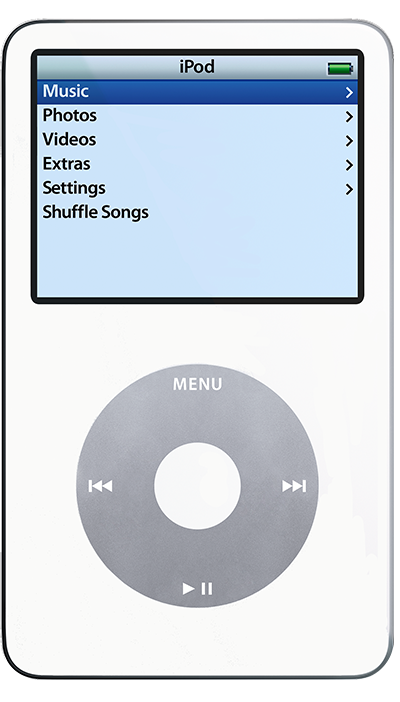
iPod and iPod photo are now one and the same, with every white iPod boasting a full-color display. They continue to have the same controls as iPod (Click Wheel) but now all models have a color display like iPod photo—ideal for viewing album artwork and playing slideshows. These are considered fourth-generation models along with iPod (Click Wheel).
iPod photo (also known as iPod with color display)
Navigation: Click Wheel
Capacity: 30, 40, and 60 GB
Model numbers and dates introduced:
A1099: February 2005
A1099: October 2004
iPod photo models are functionally and visually identical to the iPod with color display (see above photo).
iPod (Click Wheel)
Navigation: Click Wheel
Capacity: 20 and 40 GB
Model number and date introduced: A1059: July 2004
iPod (Click Wheel) models have a Click Wheel like the iPod mini, but are larger and the hold switch is on the top-right side. iPod (Click Wheel) models have a monochrome display. iPod (Click Wheel) is referred to as the fourth-generation iPod.
iPod (Dock Connector)
Navigation: Touch Wheel
Capacity: 10, 15, 20, 30, and 40 GB
Model numbers and dates introduced:
A1040: September 2003
A1040: April 2003
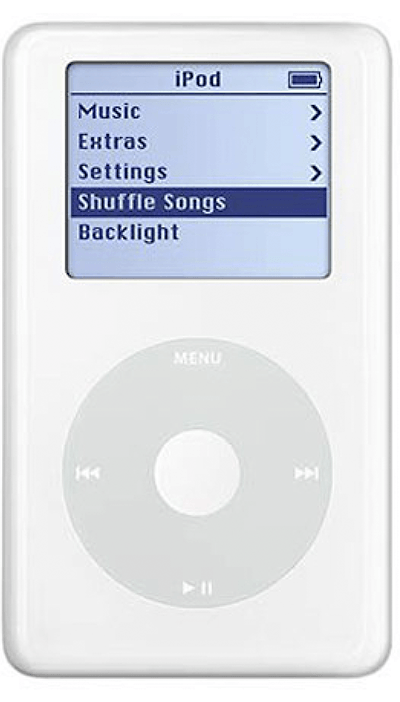
iPod (dock connector) models have a dock connector on the bottom.
Newer iPod models like iPod (Click Wheel) and iPod mini also have a dock connector, but the iPod (Dock Connector) has a touch wheel instead of a Click Wheel and the four control buttons are above the touch wheel. iPod (Dock Connector) models are referred to as third-generation iPod models.

iPod (Touch Wheel)
Navigation: Touch Wheel
Capacity: 10 and 20 GB
Model number and date introduced: A1019: July 2002
All iPod (Touch Wheel) models have a FireWire port cover. Scroll wheel models don't, and dock connector models don't have a FireWire port. The iPod (Touch Wheel) model controls look similar to the iPod (Scroll Wheel) but the touch wheel itself doesn't turn. iPod (Touch Wheel) models are considered second-generation iPod models.
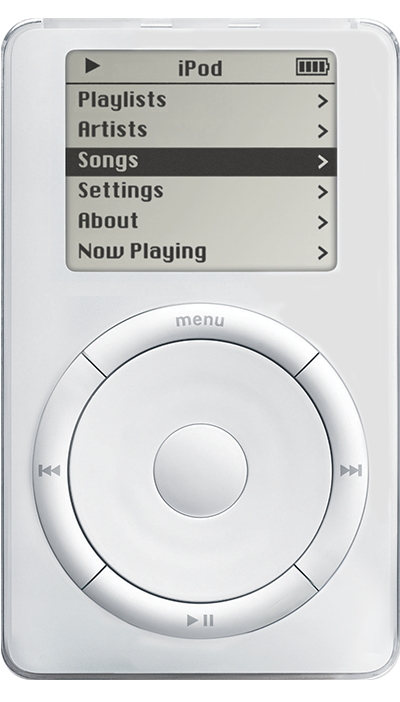
iPod (Scroll Wheel)
Navigation: Scroll Wheel
Capacity: 5 and 10 GB
Model numbers and dates introduced:
M8541: March 2002
M8541: October 2001
iPod (Scroll Wheel) models have a scroll wheel that physically turns. The controls (Play, Menu, Next, Previous) are in a circle around the wheel. iPod (Scroll Wheel) models are referred to as first-generation iPod models.
